• March 4, 2026
  • Kishore Thutaram
  • 0

Introduction

In real SAP projects, standard IDocs are rarely enough.

Sooner or later, the business says:
“We need to send additional custom fields from the external system into Sales Order.”

And that’s where IDoc extension comes in.

In this guide, we’ll walk step-by-step through how to receive Sales Orders with custom field extensions using message type ORDERS05 in SAP S/4HANA.

No theory overload. Just practical implementation.

Receive Sales Orders with IDoc Extension in SAP S/4HANA

Business Scenario

An interface must receive Sales Orders using IDoc message type ORDERS, including additional custom fields at header or item level.

Standard IDoc structure does not contain these custom fields, so we must:

  1. Extend the IDoc structure

  2. Enhance inbound processing

  3. Populate custom fields in Sales Order

If you are not yet familiar with adding custom fields in Sales Order, you can first read our guide on Add Custom Fields in Sales Order and Control Field Properties so the structure is ready before IDoc mapping.

Solution Overview

The solution has three main layers:

  1. Partner profile configuration

  2. IDoc extension (segment + type extension)

  3. Enhancement of inbound function module to populate custom fields

We extend the standard ORDERS05 IDoc and enhance inbound processing using user exits inside IDOC_INPUT_ORDERS.

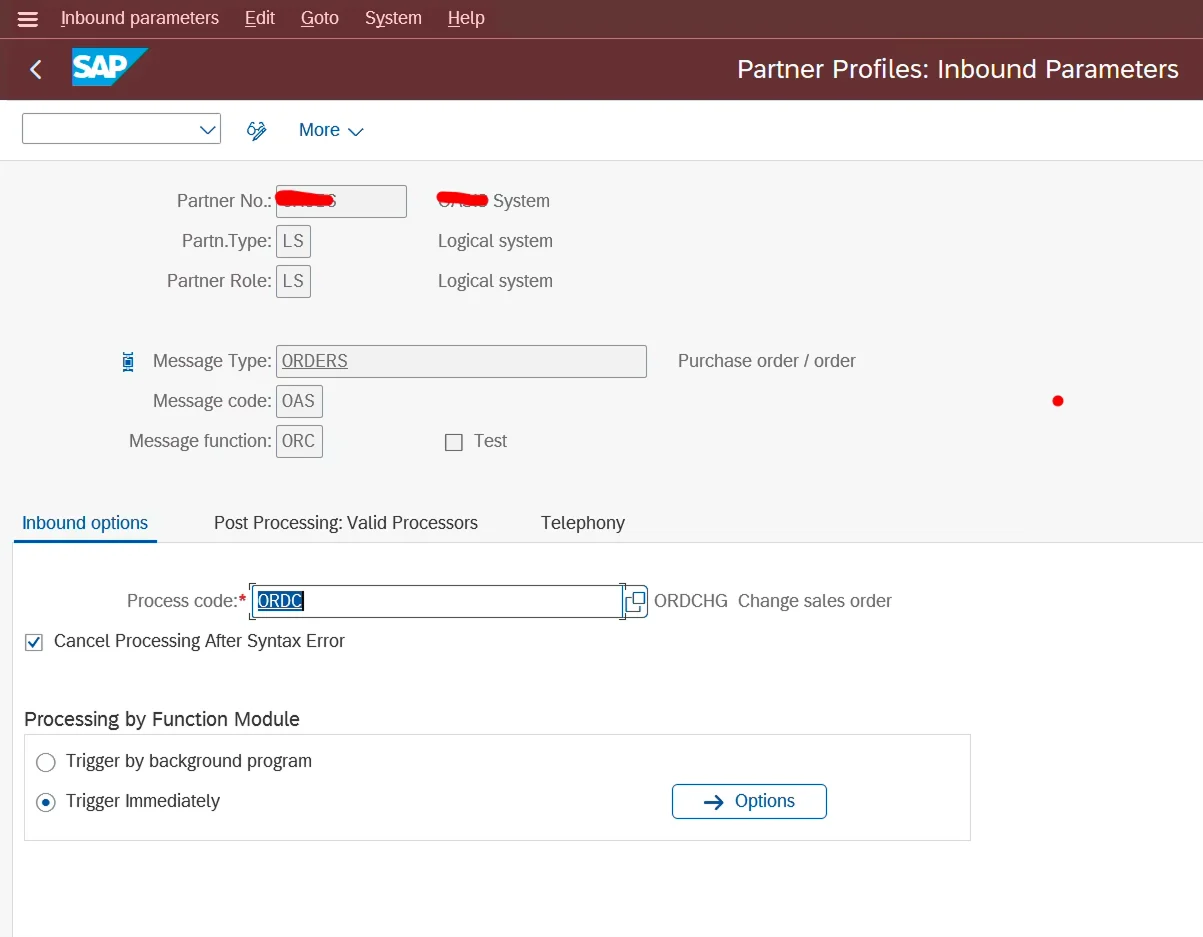
Step 1: Partner Profile Setup (Testing Client)

Configure partner profiles for inbound processing.

  • Message Type: ORDERS

  • Process Code: ORDC

Transaction: WE20

Maintain inbound parameters accordingly.

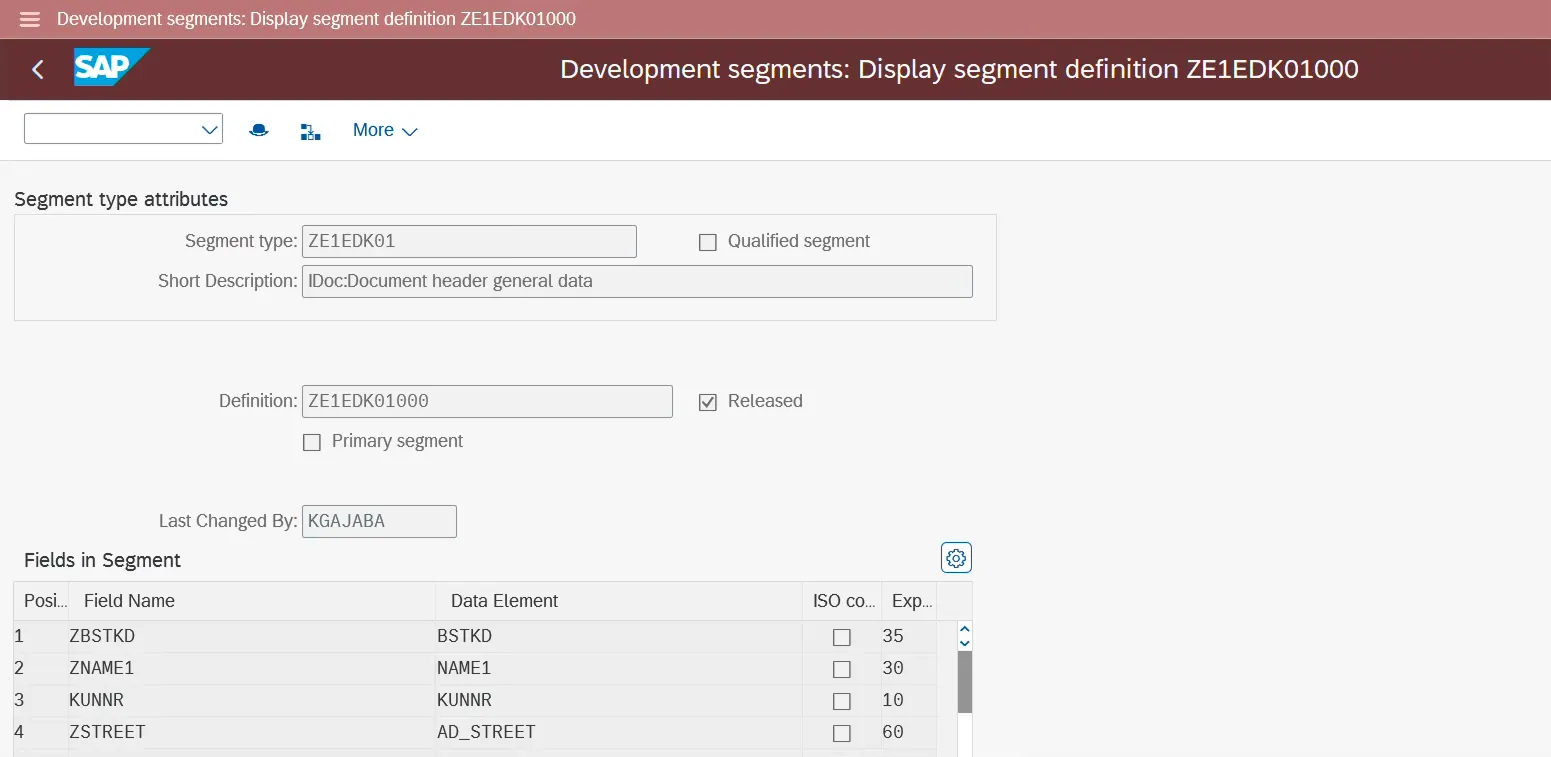
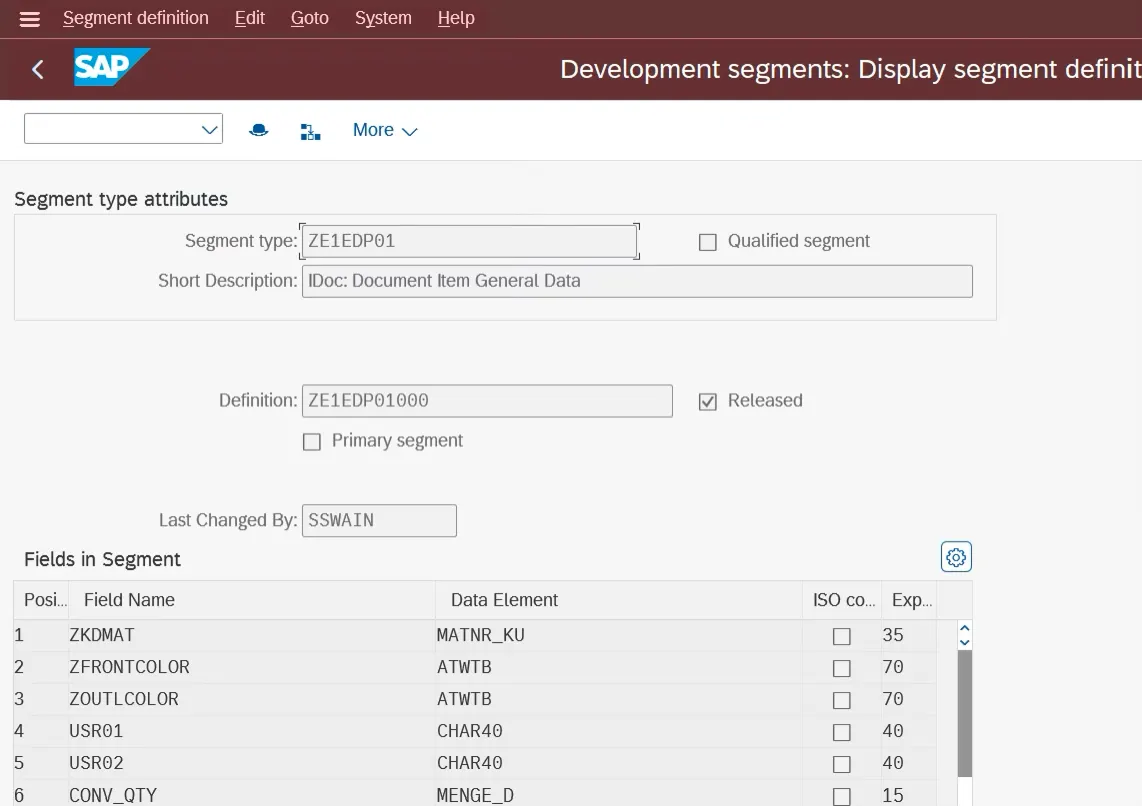
Step 2: Create IDoc Extension Segment (WE31)

Transaction: WE31

Create a new segment for:

  • Header custom fields

  • Item custom fields

After creating the segment:

Menu → Edit → Set Release

You must release the segment before it can be used in IDoc type extension.

sd2

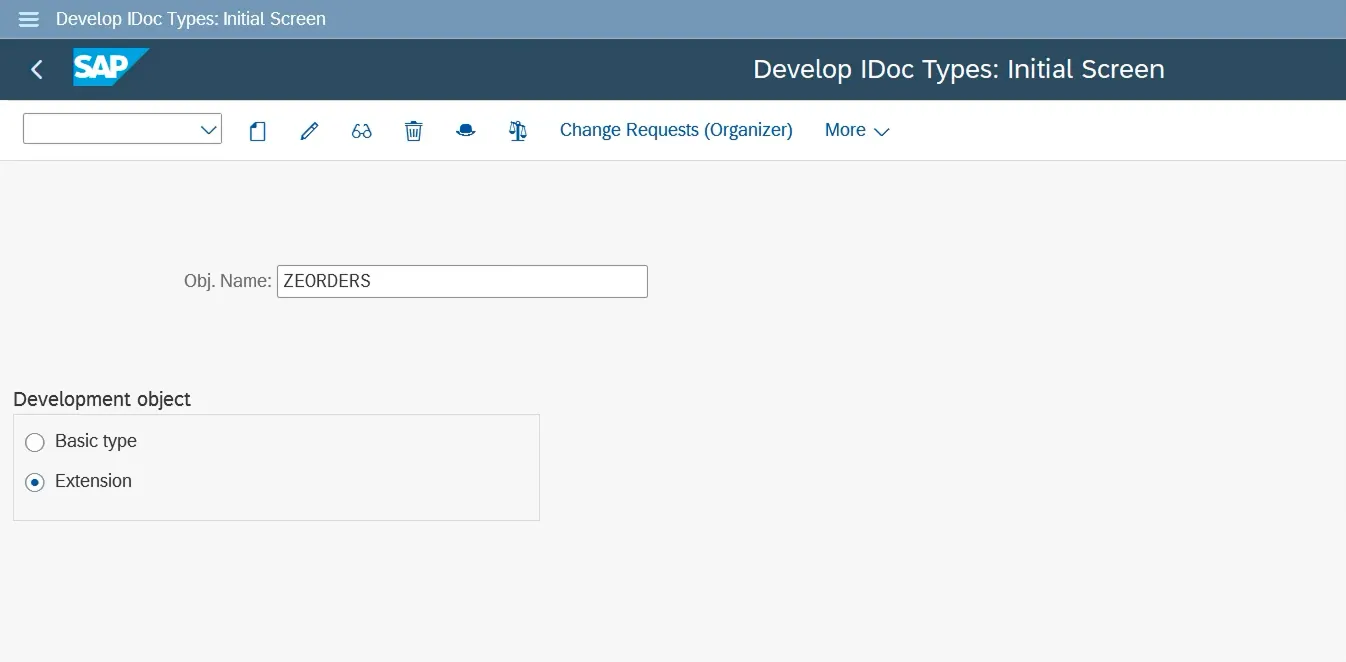
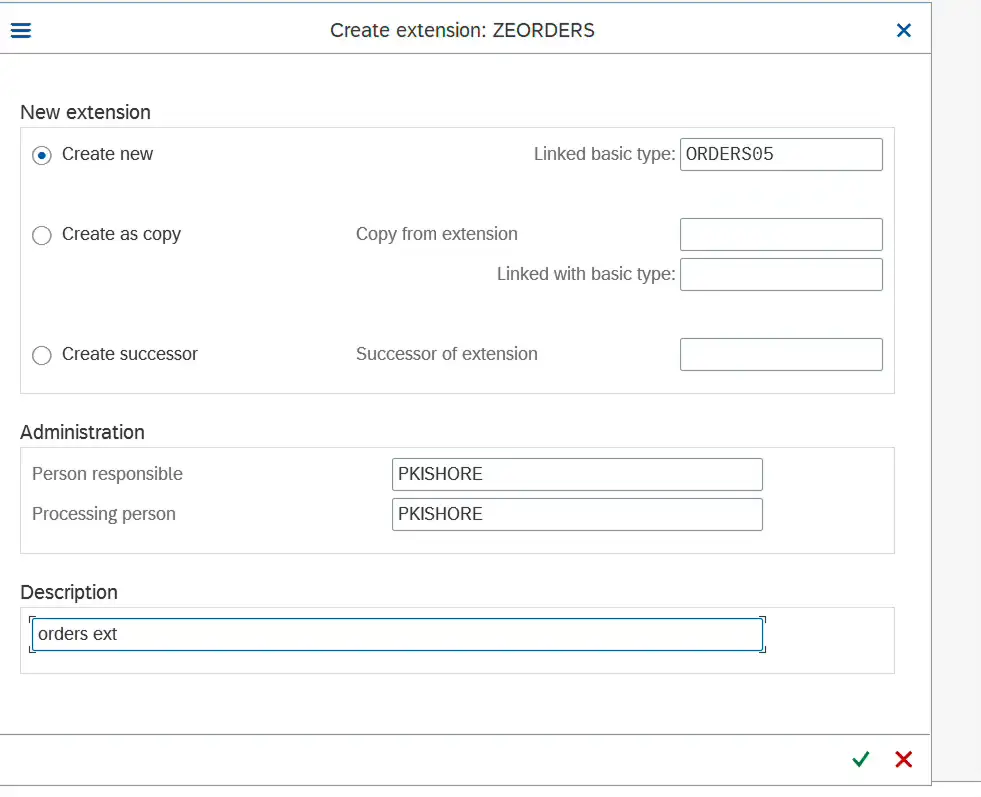
Step 3: Extend IDoc Type (WE30)

Transaction: WE30

Select:

  • Message Type: ORDERS05

Choose:

  • Basic Type: ORDERS05

  • Create Extension

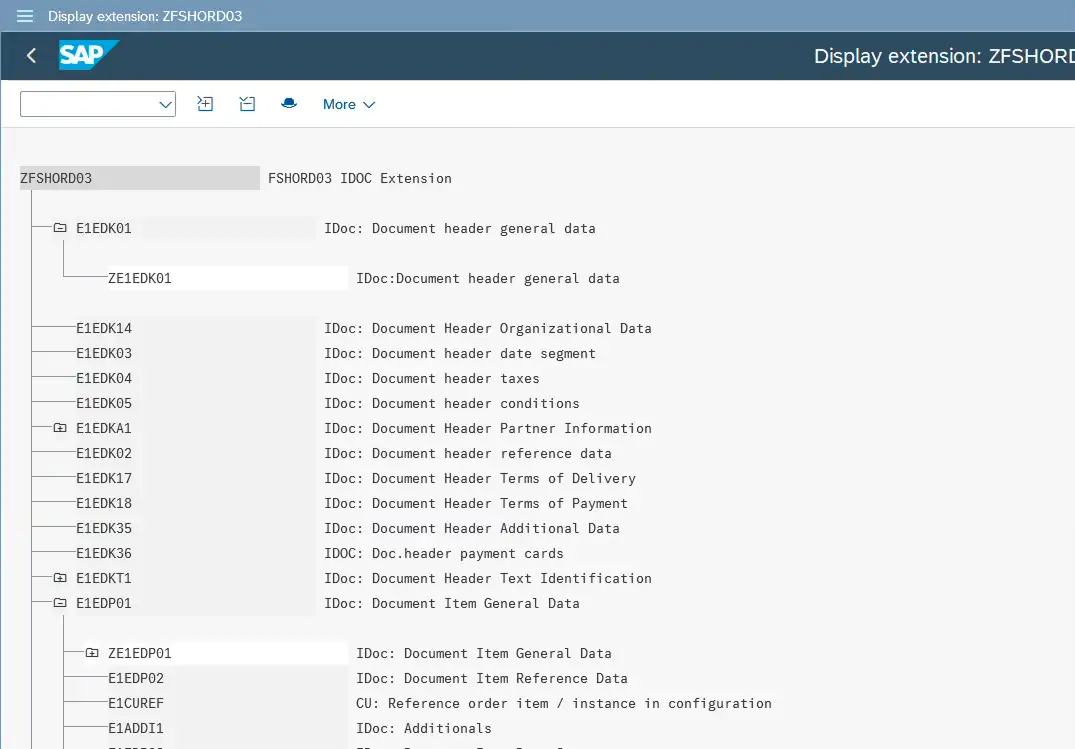
Now insert the new segment:

  • Under E1EDK01 (Header)

  • Under E1EDP01 (Item)

Menu → Edit → Insert Segment as Child

After inserting segments:

Menu → Set Release

Please look into the below screenhsots.

Step 4: Implement Inbound Enhancement Logic

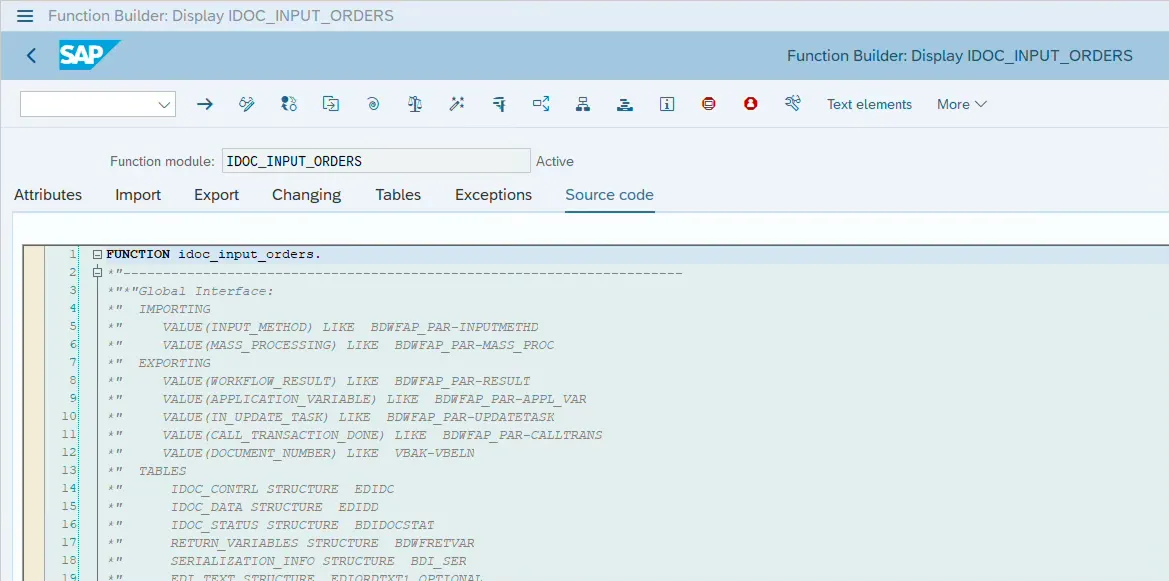
Inbound function module:

IDOC_INPUT_ORDERS
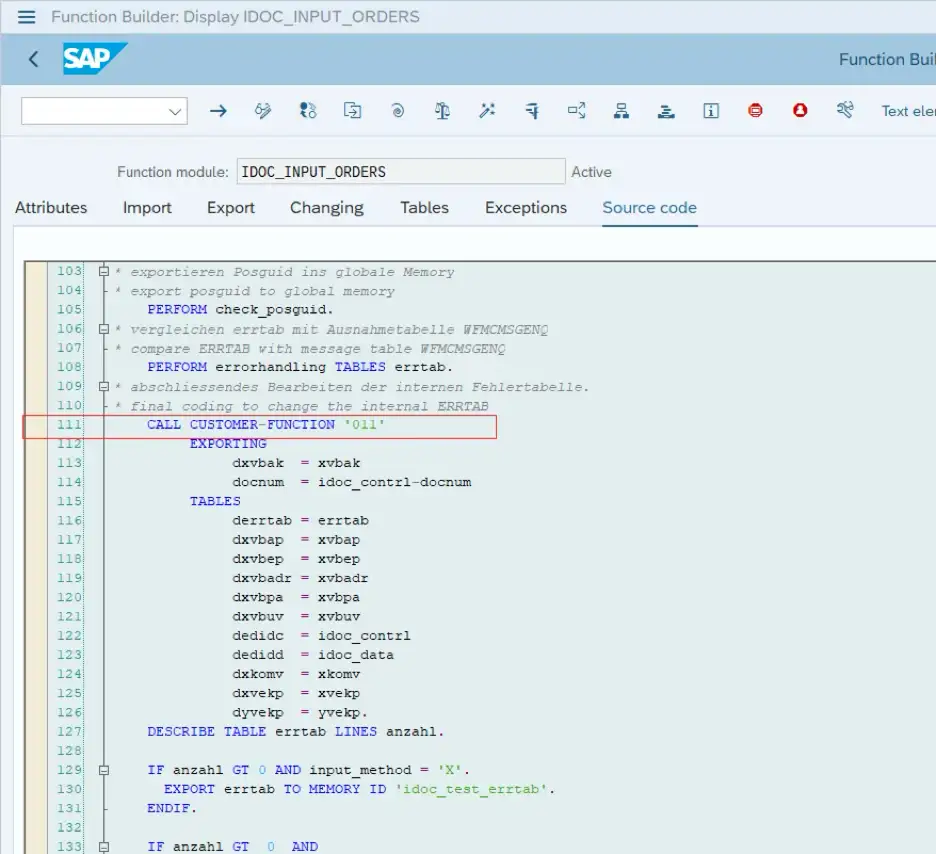
Search inside the function module for:

CALL CUSTOMER

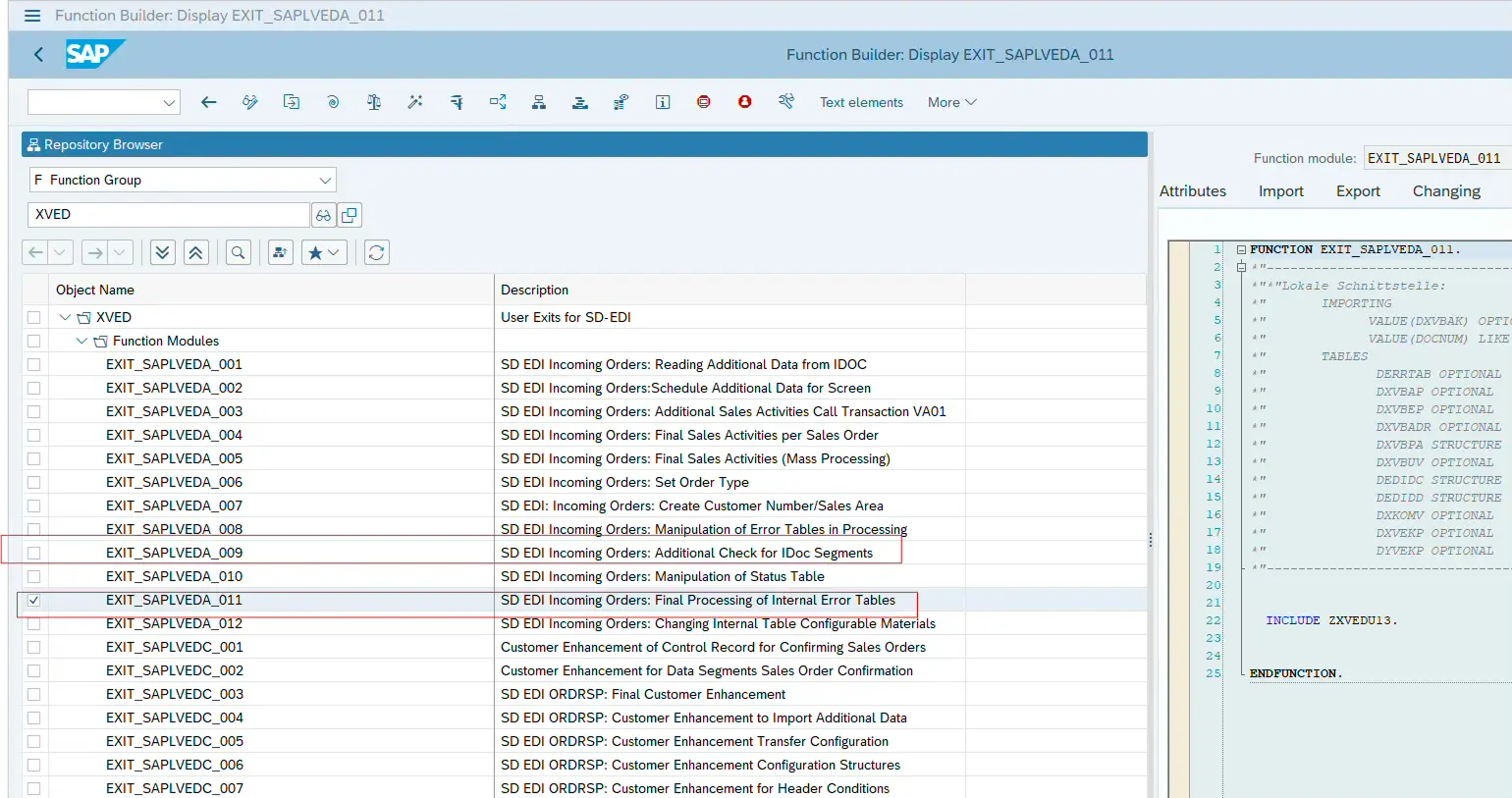
Double-click enhancement 011.

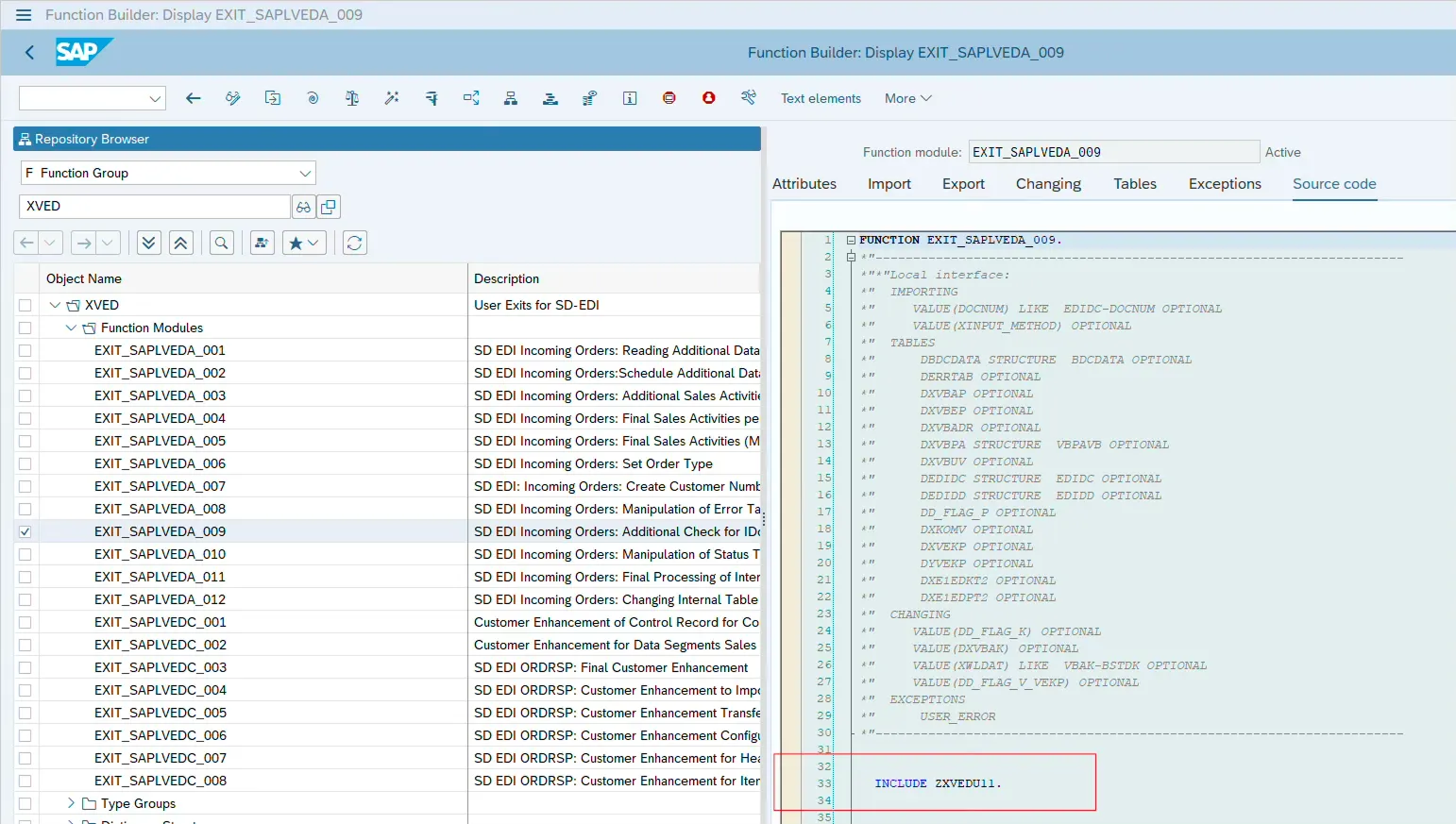
This leads to the function group where user exits are available.

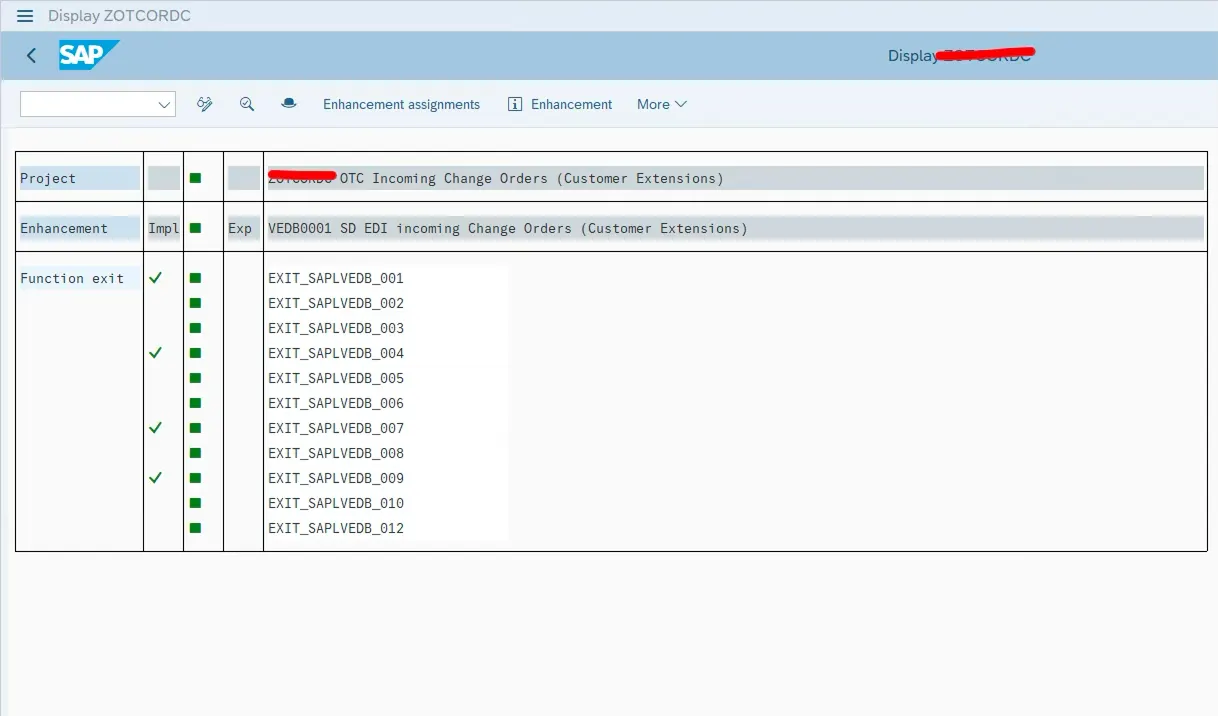
Create a CMOD project and implement the enhancement.

Please look into the below screenhsots.

Step 5: Implement Custom Field Mapping Logic

Inside the enhancement include, write logic to read IDoc data and populate Sales Order fields.

Key Structures:

  • DEDIDD → Holds IDoc segment data

  • DXVBAP → Holds sales order item data

Example logic:

CONSTANTS: lc_segment_e1edp01 TYPE edilsegtyp VALUE 'E1EDP01',
lc_segment_e1edp02 TYPE edilsegtyp VALUE 'E1EDP02',
lc_qualf_zd1 TYPE edi_qualfr VALUE 'ZD1',
lc_qualf_zd2 TYPE edi_qualfr VALUE 'ZD2'.

DATA lv_posex TYPE posnr_va.

LOOP AT dedidd INTO DATA(ls_edidd)
WHERE segnam = lc_segment_e1edp02
AND ( sdata(3) = lc_qualf_zd1 OR sdata(3) = lc_qualf_zd2 ).

CLEAR lv_posex.

lv_posex = VALUE #(
it_edidd[ segnum = ls_edidd-psgnum
segnam = lc_segment_e1edp01 ]-sdata(6)
OPTIONAL ).

ASSIGN dxvbap[ ('POSEX') = lv_posex ]
TO FIELD-SYMBOL(<lfs_dxvbap>) ELSE UNASSIGN.

IF <lfs_dxvbap> IS ASSIGNED.

IF ls_edidd-sdata+0(3) = lc_qualf_zd1.
ASSIGN COMPONENT 'ZZ1_MNL1_SDI'
OF STRUCTURE <lfs_dxvbap>
TO FIELD-SYMBOL(<lfs_sales1>).

IF <lfs_sales1> IS ASSIGNED.
<lfs_sales1> = ls_edidd-sdata+93(35).
ENDIF.

ELSEIF ls_edidd-sdata+0(3) = lc_qualf_zd2.
ASSIGN COMPONENT 'ZZ1_MNL2_SDI'
OF STRUCTURE <lfs_dxvbap>
TO FIELD-SYMBOL(<lfs_sales2>).

IF <lfs_sales2> IS ASSIGNED.
<lfs_sales2> = ls_edidd-sdata+93(35).
ENDIF.

ENDIF.

ENDIF.

ENDLOOP.

This reads custom segment data and updates Sales Order item custom fields.

If your requirement instead involves updating Sales Order fields using modern RAP logic, you can also explore our guide on Update Sales Order Custom Fields using RAP EML for S/4HANA-native approaches.

Common Mistakes Developers Make

❌ Forgetting to release extension segment
❌ Not setting release in WE30
❌ Wrong parent segment placement
❌ Missing CMOD activation
❌ Hardcoding segment positions incorrectly

Frequently Asked Questions

Can we extend standard ORDERS05 without modifying SAP objects?

Yes, by creating an extension type in WE30.

Where should custom field logic be implemented?

Inside the user exit enhancement of IDOC_INPUT_ORDERS.

Does this work in S/4HANA?

Yes, IDoc extension is fully supported in S/4HANA.

🎉 Final Thoughts

IDoc extensions are still very relevant in S/4HANA projects.

While APIs and RAP are modern options, many integrations still rely on ORDERS05. Knowing how to extend and enhance IDoc processing correctly keeps your interface clean and stable.

This approach ensures custom fields flow from external systems into Sales Order without modifying standard SAP code.

Share article

Kishore Thutaram

"SAP solution architect with a strong problem-solving mindset, sharing practical SAP S/4HANA and ABAP insights from real-world projects."

https://fiowelt.com

Leave a Reply

Your email address will not be published. Required fields are marked *