Kishore Thutaram
SAP Solution Architect | 16+ Years' Experience in SAP | Sharing Practical SAP Knowledge | Engineering Graduate with Expertise in SAP Architecture
https://fiowelt.comUpdating a custom table in SAP for one record is easy.
Updating hundreds or thousands of records in one go? That’s where things usually go sideways 😄.
Many projects still rely on:
Custom reports with UPDATE statements
BDCs and batch jobs
RFCs doing commits inside loops (yes… still happening)
In this article, we’ll build a clean RAP-based API to update custom table data in bulk, using actions, unmanaged behavior, and framework-controlled commits.
Many implementations also involve custom table design where data from custom fields added to business objects needs to be updated in bulk.
No hacks. No manual COMMIT WORK. Just proper RAP.

You want to expose an API that allows:
Updating multiple records of a custom table
Validating incoming data before update
Returning error messages for failed records
This API should work reliably for:
Integration scenarios
Mass updates from external systems
Controlled data corrections
We will implement this using:
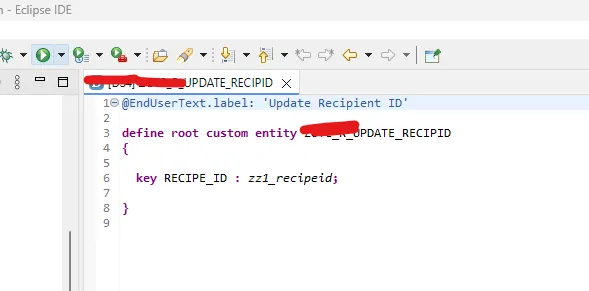
Custom CDS root entity
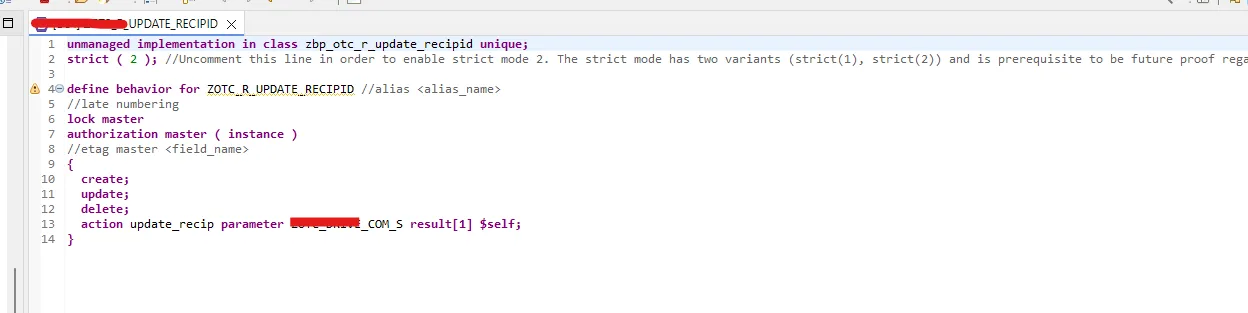
Unmanaged RAP behavior
Action with parameter structure
RAP-managed save sequence
This keeps database access under control while still allowing full flexibility.
Start by creating a custom CDS root entity based on your custom table.
Important rules:
Include all key fields of the table
Expose only the fields required for update
This root entity acts as the entry point for your RAP service.
Create a behavior definition for the root entity.
Since we are updating a custom table directly, choose: unmanaged
Why unmanaged?
Full control over database operations
Ideal for mass updates and complex validations
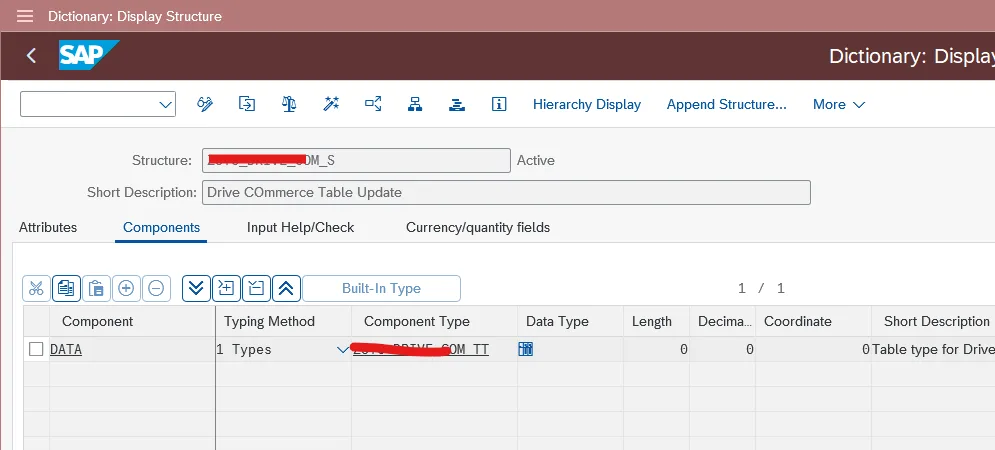
Add an action with parameter SE11 structure with all the custom table fields inside it.
Now comes the core part — the action.
Define an action in the behavior definition and assign a parameter structure.
The parameter structure should contain:
A field named DATA
Type: table type of your custom table structure
This allows the API to receive multiple records in one call.
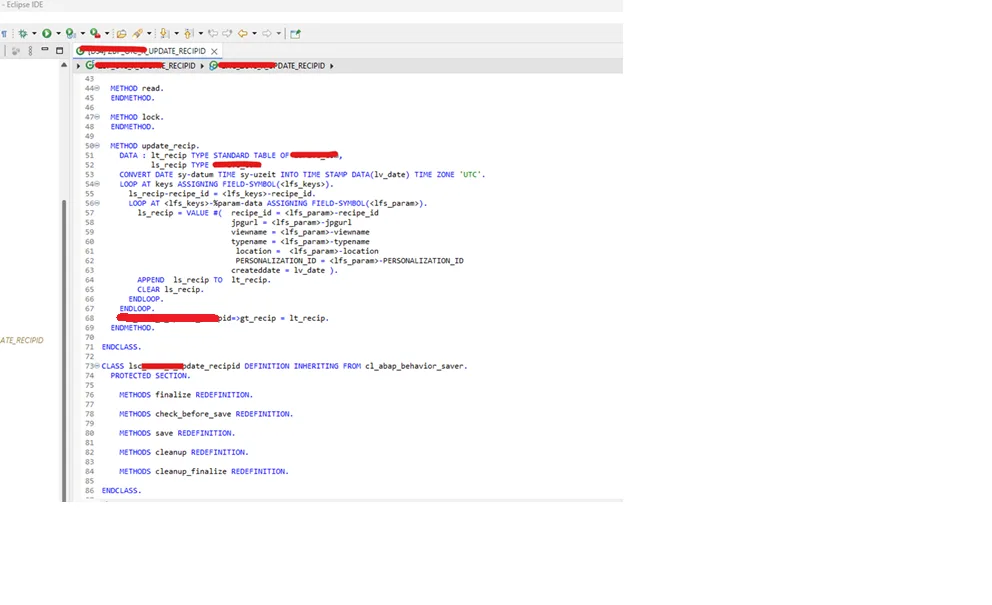
Create the behavior implementation class.
Inside the action method:
Read incoming data
Perform validations
Prepare data for update
This is the best place to:
Check mandatory fields
Validate values
Reject invalid records gracefully
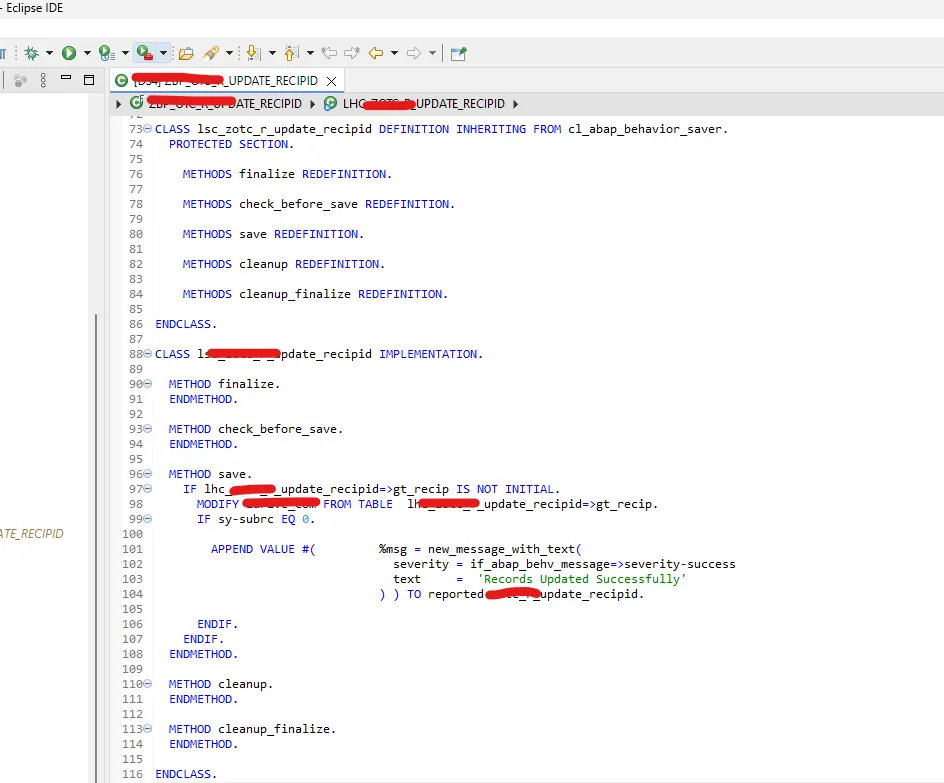
The SAVE method is responsible for updating the database table.
Important things to remember:
Do not use COMMIT WORK
RAP framework handles commits automatically
Perform updates in a controlled way
Any errors should be captured into the REPORTED internal table.
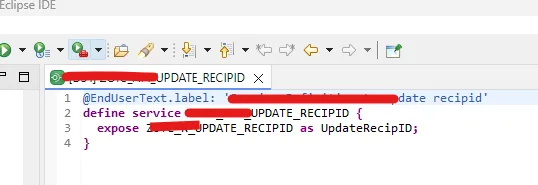
Create a service definition on top of the behavior definition.
Expose:
The CDS root entity
This makes the entity available for consumption via OData.
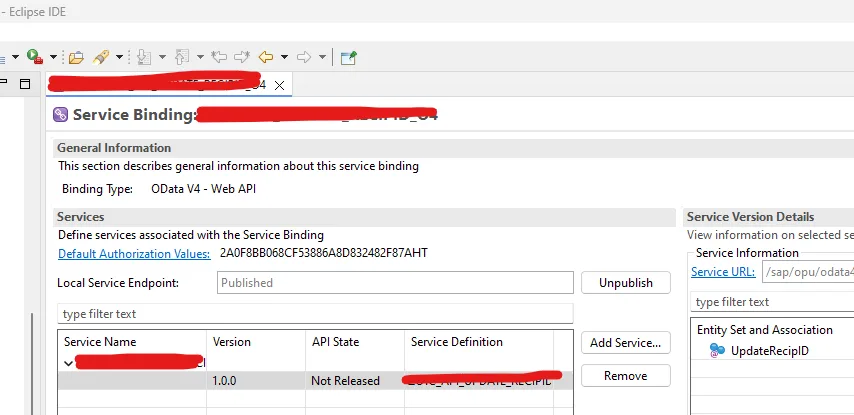
Create a service binding for the service definition.
Choose based on your requirement:
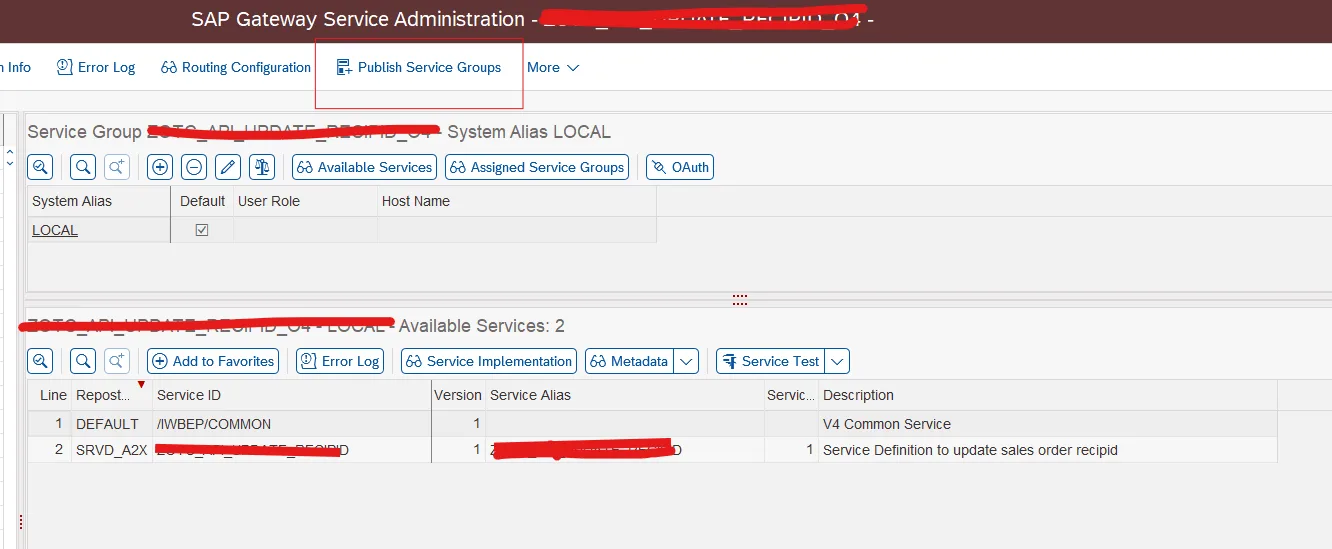
OData V2 → /IWFND/MAINT_SERVICE
OData V4 → /IWFND/V4_ADMIN
Publish the service binding after creation.
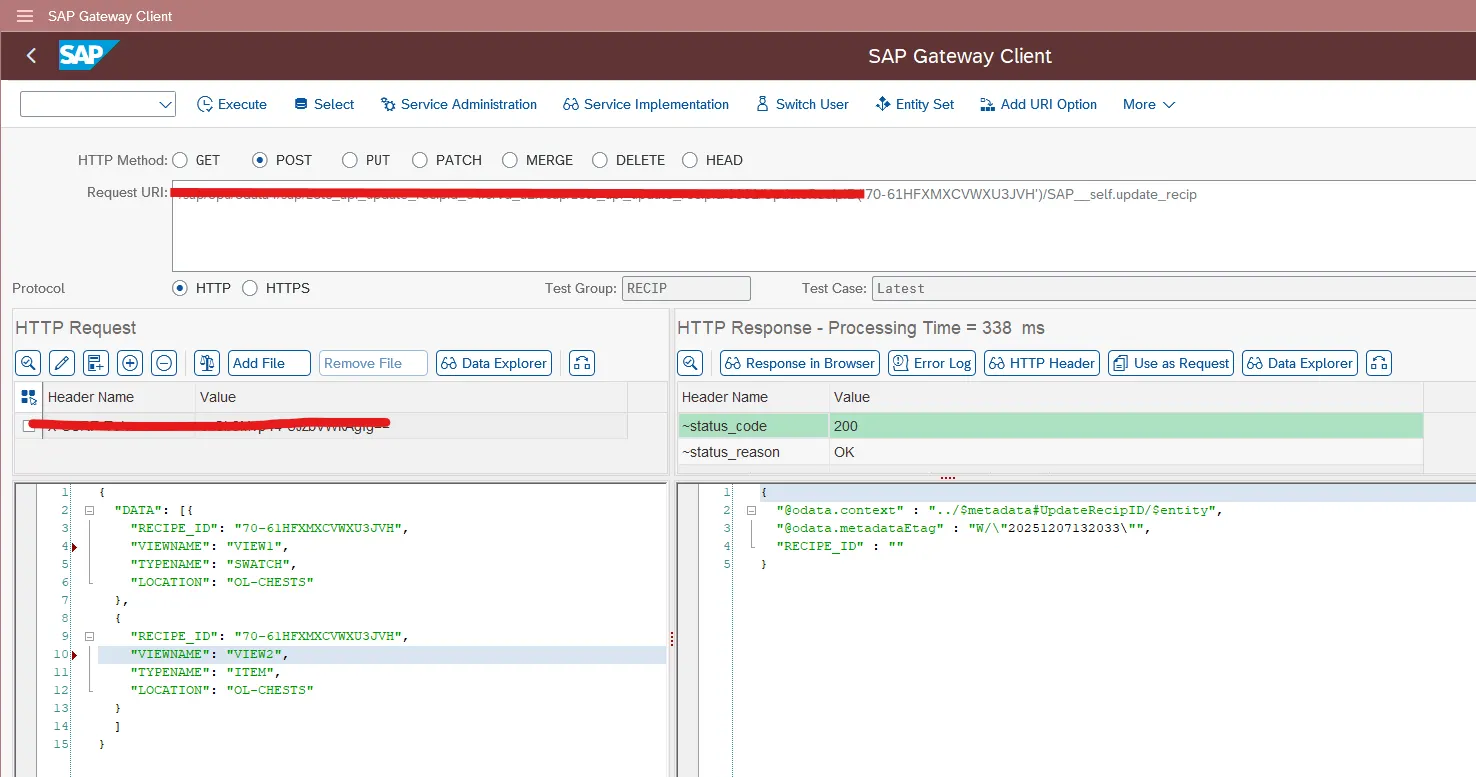
Use the Service Test option to trigger the action.
The action URL format will look like:
<service_name>/<root_entity_alias>(<key>)/SAP__self.<action>
Pass multiple records in the request payload to verify:
Successful updates
Proper error handling
❌ Using managed behavior for complex mass updates
This limits control and complicates validations.
❌ Calling COMMIT WORK manually
RAP already manages the transaction lifecycle.
❌ Updating the database inside action methods
Always perform DB updates in the SAVE method.
❌ Ignoring error reporting
Use the REPORTED table to return meaningful messages.
Can this API update thousands of records at once?
Yes. The action parameter supports table types designed for mass processing.
Is this approach safe for integrations?
Absolutely. RAP ensures transactional consistency and error handling.
Should I use managed behavior instead?
Use managed behavior only when standard CRUD operations are sufficient.
You learned how to build a RAP-based API to update custom table data in bulk using unmanaged behavior and actions.
This approach avoids unsafe commits, supports validations, and scales cleanly for real-world integration scenarios.
If this API will be consumed by external systems, understanding SAP CPI integration flows is essential.

SAP Solution Architect | 16+ Years’ Experience in SAP | Sharing Practical SAP Knowledge | Engineering Graduate with Expertise in SAP Architecture
SAP Solution Architect | 16+ Years' Experience in SAP | Sharing Practical SAP Knowledge | Engineering Graduate with Expertise in SAP Architecture
https://fiowelt.com