• March 31, 2026
  • Kishore Thutaram
  • 0

Introduction

In real SAP projects, performance issues are not theoretical—they directly impact business users, SLAs, and system stability. A poorly written ABAP program can turn a simple report into a system bottleneck.

Most performance problems come from inefficient database access, bad internal table handling, or unnecessary processing logic.

This guide combines real-world practices + proven techniques to help you write high-performance ABAP code.

Optimizing ABAP performance using SQL trace, runtime analysis, and efficient coding techniques in SAP

Where Performance Issues Actually Come From

Before jumping into solutions, understand the root causes:

  • Database access (major contributor)
  • Inefficient loops and logic
  • Large internal tables
  • Excessive data fetching
  • Poor indexing

Around 60–70% of performance issues originate from database operations, not ABAP logic itself.

Step1: Optimize Database Access (MOST IMPORTANT)

Key Rules

  • Never use SELECT *
  • Always use proper WHERE conditions
  • Use JOIN instead of multiple SELECTs
  • Ensure indexes are used

Efficient SQL reduces database load and significantly improves response time.

Example:

SELECT matnr ersda 
FROM mara
INTO TABLE lt_mara
WHERE matnr = p_matnr.
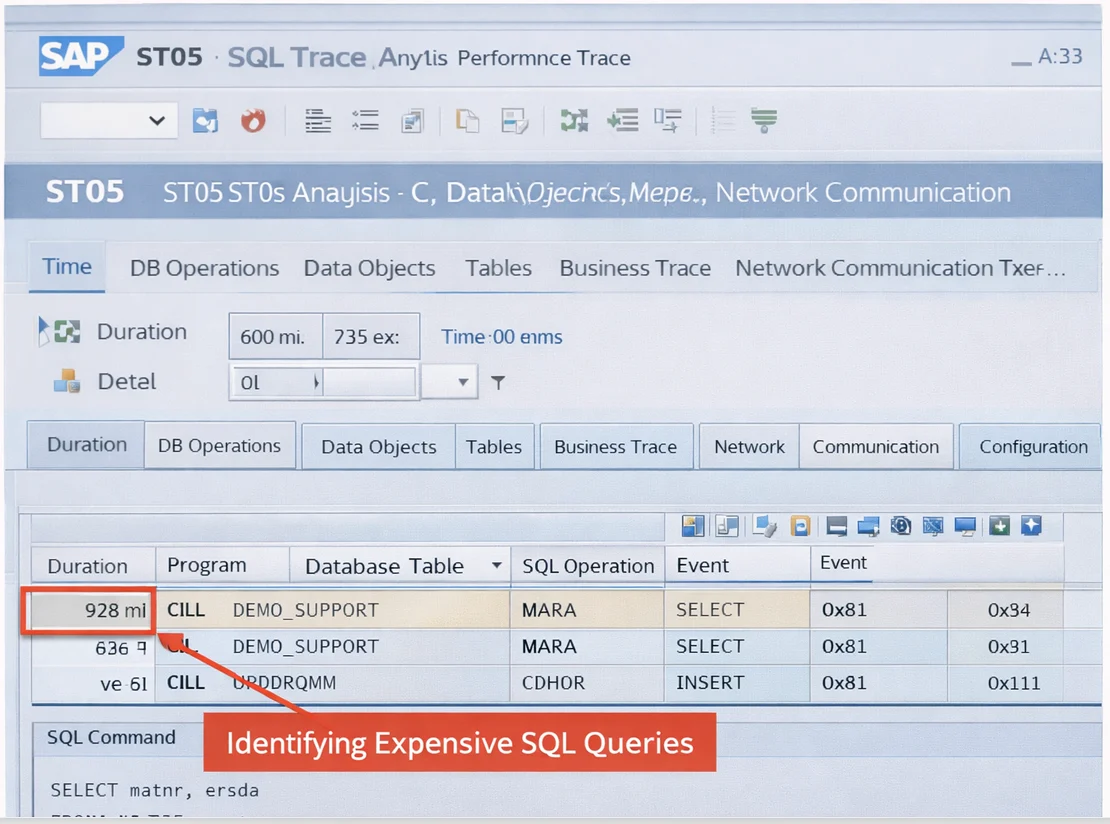
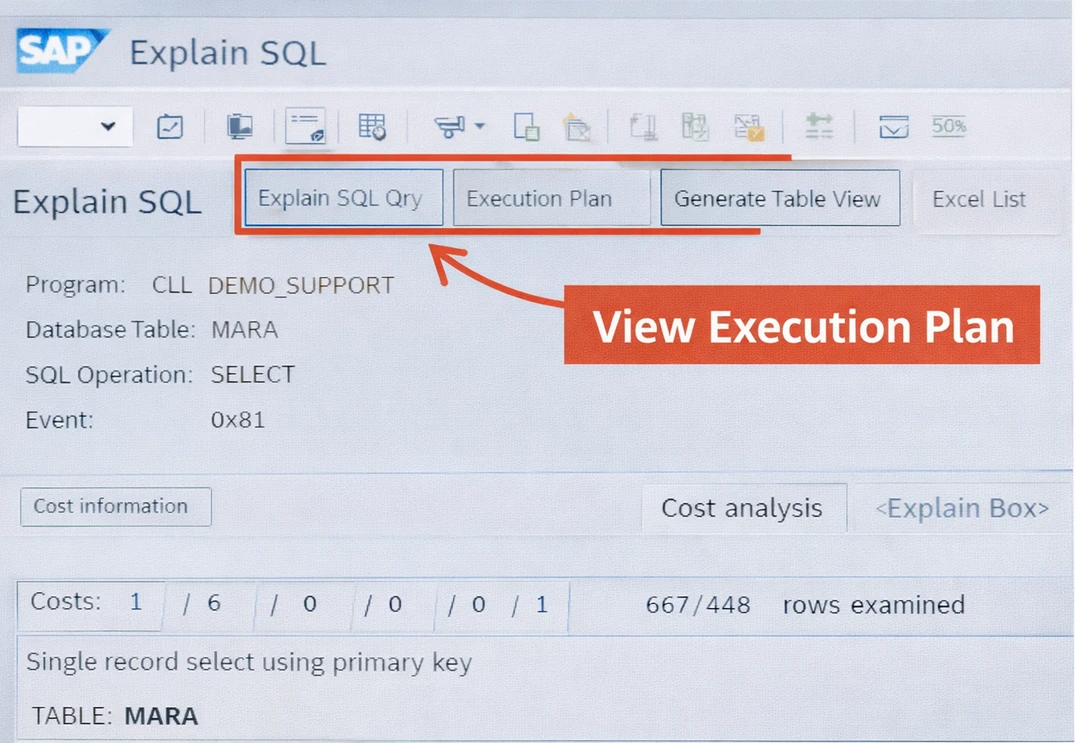
screenshot1

Step 2: Avoid SELECT Inside Loops

This is the #1 mistake in real projects.

Bad Practice

LOOP AT lt_vbak INTO ls_vbak.
SELECT * FROM vbap INTO TABLE lt_vbap
WHERE vbeln = ls_vbak-vbeln.
ENDLOOP.
Better Approach
  • Use JOIN
  • Use FOR ALL ENTRIES

Reducing database calls drastically improves performance.

Step 3: Use Internal Tables Smartly

Choosing the correct table type matters:

  • STANDARD → General use
  • SORTED → Faster reads with keys
  • HASHED → Best for key-based access

Also:

  • Use READ TABLE ... BINARY SEARCH
  • Avoid unnecessary sorting

Efficient internal table handling significantly reduces processing time.

Step 4: Reduce Data Volume Early

Always filter data at the database level, not after fetching.

Bad approach:

SELECT * FROM mara INTO TABLE lt_mara.
DELETE lt_mara WHERE mtart <> 'FERT'.

Good approach:

SELECT * FROM mara INTO TABLE lt_mara
WHERE mtart = 'FERT'.

Step 5: Avoid Nested Loops

Nested loops drastically increase complexity and runtime.

Instead:

  • Use a parallel cursor
  • Use hashed tables
  • Use joins

Nested loops should always be your last option.

Step 6: Use Performance Tools (Real-Time Debugging)

Important Transactions

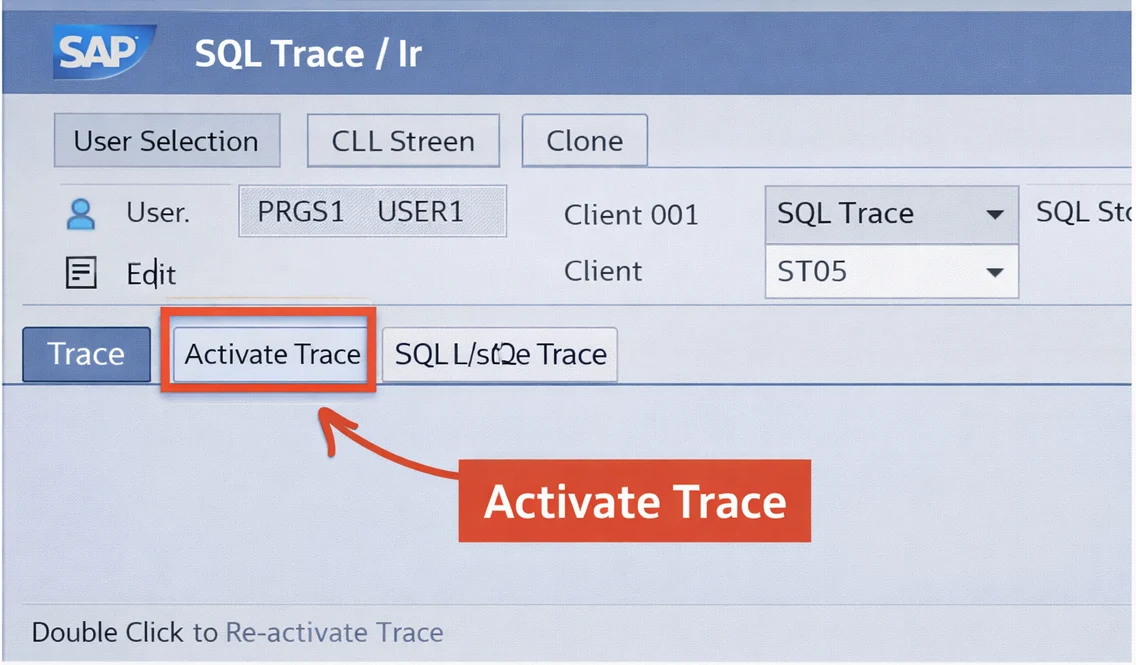
  • ST05 → SQL Trace
  • SAT → Runtime Analysis

These tools help identify:

  • Slow queries
  • Expensive operations
  • Bottlenecks

Performance tuning should always be data-driven, not assumption-based.

To identify database-related performance issues, activate the SQL trace using ST05, as shown below, which helps capture all SQL statements executed during runtime. If you’re new to runtime analysis, you can also learn how to debug ABAP programs effectively to better understand execution flow before diving into performance tuning.

Step 7: Use Buffering & Caching

  • Use table buffering for frequently accessed data
  • Avoid repeated DB calls
  • Cache static data

Buffering reduces database communication and improves speed.

Step 8: Optimize Memory Usage

  • Avoid unnecessary variables
  • Free internal tables after use
  • Use references instead of copies

Efficient memory handling improves scalability and performance.

SAT helps you analyze which part of your code consumes the most runtime, as shown below, making it easier to optimize loops, memory usage, and internal table operations. This is particularly useful when you improve data handling in ABAP using efficient techniques for large datasets.

Step 9: Use Modern ABAP & HANA Optimization

If working on S/4HANA:

  • Use CDS Views
  • Push logic to database (Code Pushdown)
  • Use AMDP where needed

Modern ABAP shifts processing from app server to DB for better performance.

Step 10: Continuous Monitoring (Real Project Mindset)

Performance tuning is not one-time.

  • Monitor regularly
  • Analyze production data
  • Optimize critical programs

Real-world systems evolve, and so should your code.

Common Mistakes Developers Make

❌ SELECT inside LOOP
❌ Fetching unnecessary fields
❌ Ignoring indexes
❌ Using nested loops blindly
❌ Not using ST05/SAT

Real-Time Developer Insight

In most SAP projects, performance issues are not due to complex logic—but due to small bad practices repeated at scale.

Example:

  • One bad SELECT → used in loop → used in batch job → system slowdown

Fixing just one query can improve runtime from hours to minutes.

🎉 Final Thoughts

ABAP performance tuning is not about writing complex code—it’s about writing smart code.

If you focus on:

  • Efficient database access
  • Optimized internal tables
  • Minimal data movement

You can solve 80% of performance issues in real SAP systems.

Share article

Kishore Thutaram

SAP Solution Architect | 16+ Years' Experience in SAP | Sharing Practical SAP Knowledge | Engineering Graduate with Expertise in SAP Architecture

https://fiowelt.com

Leave a Reply

Your email address will not be published. Required fields are marked *