- March 10, 2026
- Kishore Thutaram
- 0
Introduction
In many SAP integration scenarios, businesses need to send sales order confirmations to external systems such as partner portals, warehouses, or third-party logistics platforms.
Standard IDOC structures may not always contain all the required fields. In such cases, developers extend the IDOC structure and populate additional data using user exits or enhancements.
In this article, we will walk through how to send sales order confirmation using an IDOC extension with message type ORDRSP and include custom fields at both header and item levels.
If your system also needs to receive orders through IDOCs, check our article on Receive Sales Orders with IDOC Extensions, where we explain how inbound IDOC extensions work.

Business Scenario
The business requirement is to send sales order confirmation data to an external system including some custom fields that are not available in the standard IDOC structure.
To achieve this:
Extend the IDOC structure
Add custom segments
Implement enhancement logic
Populate the custom fields before the IDOC is sent
Solution Overview
To implement this requirement, we follow these steps:
Configure partner profiles for the IDOC message type
Maintain message control output configuration
Create IDOC extension segments
Extend the standard IDOC structure
Implement logic in user exits to populate custom fields
Trigger the IDOC for sales order confirmation
Step 1: Configure Partner Profile
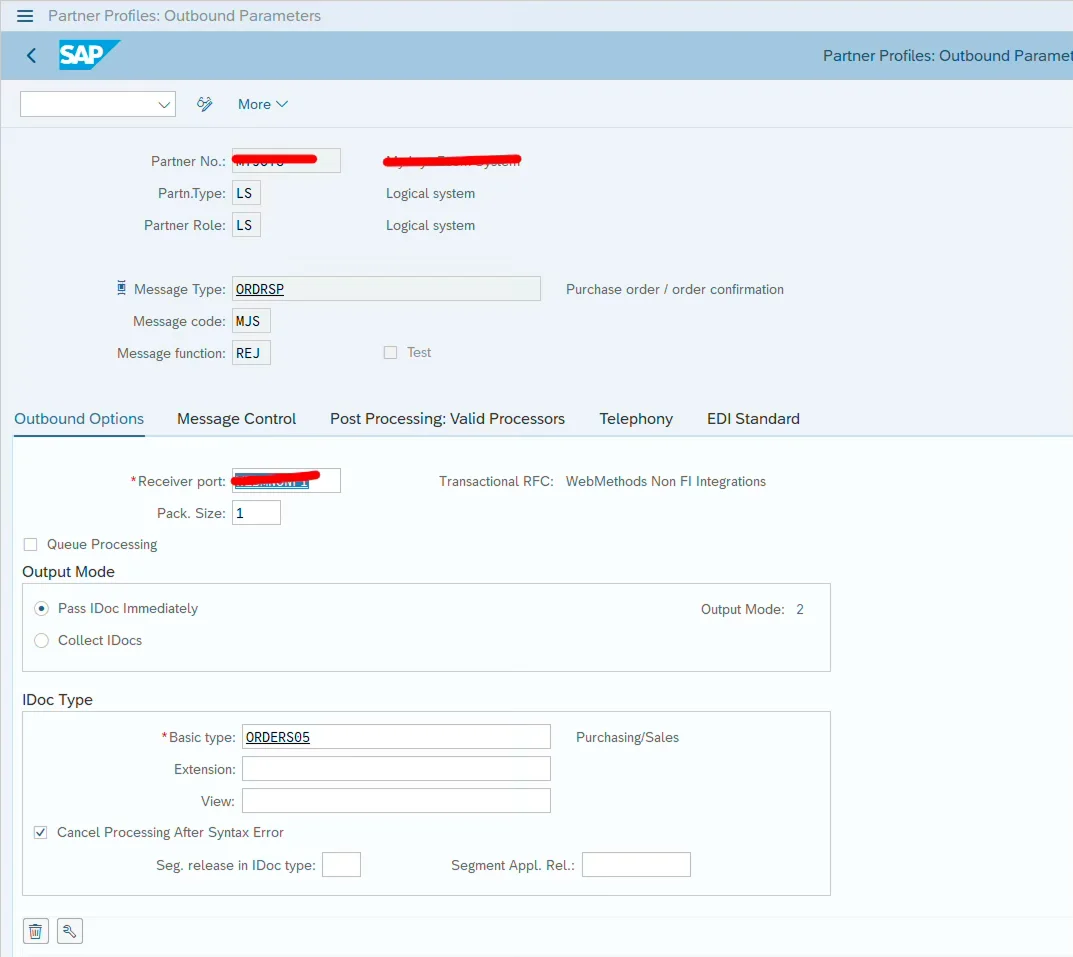
Configure the partner profile in the testing client.
Maintain the following details:
Message Type: ORDRSP
Basic Type: ORDERS05
This configuration ensures that SAP knows how to send the sales order confirmation IDOC to the external partner.
Step 2: Configure Message Control in NACE
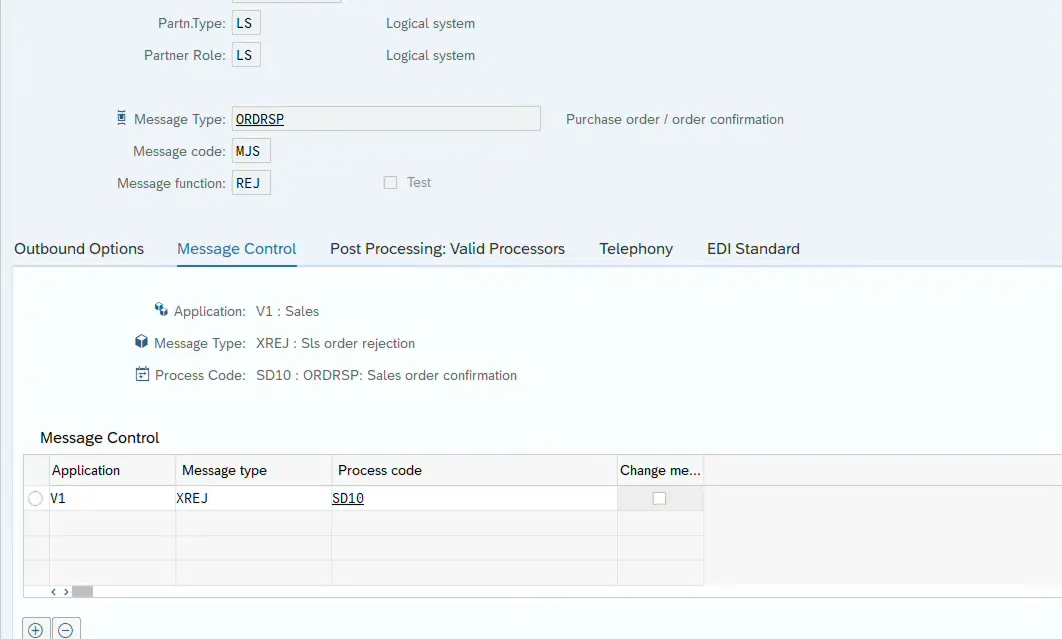
Next, configure the output type for sales order confirmation using transaction NACE.
Navigate to the Sales Document output configuration and assign the output type that will trigger the ORDRSP IDOC.
This output type determines when the confirmation IDOC should be triggered, for example during sales order creation or change.
Step 3: Create IDOC Extension Segment (WE31)
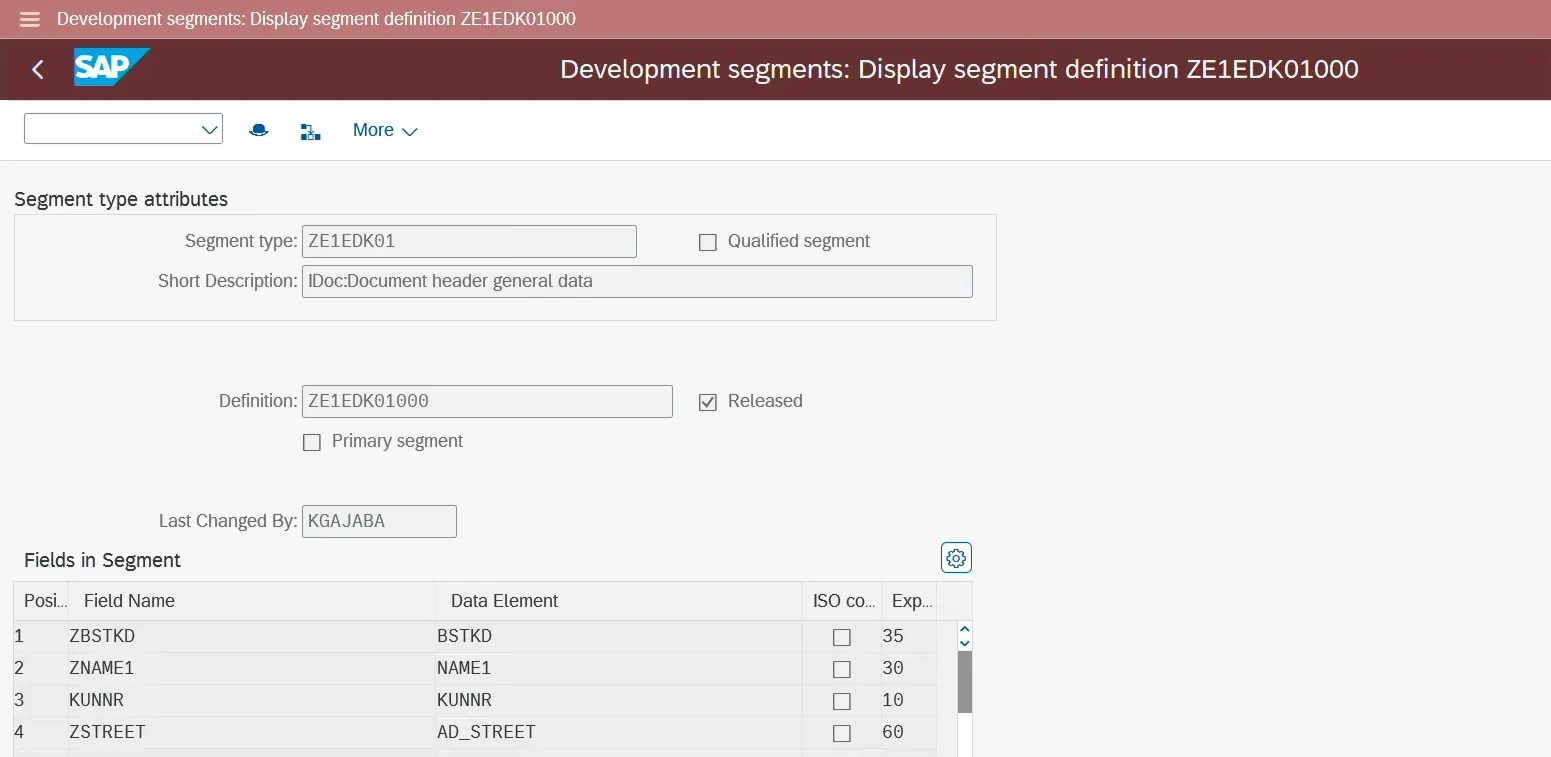
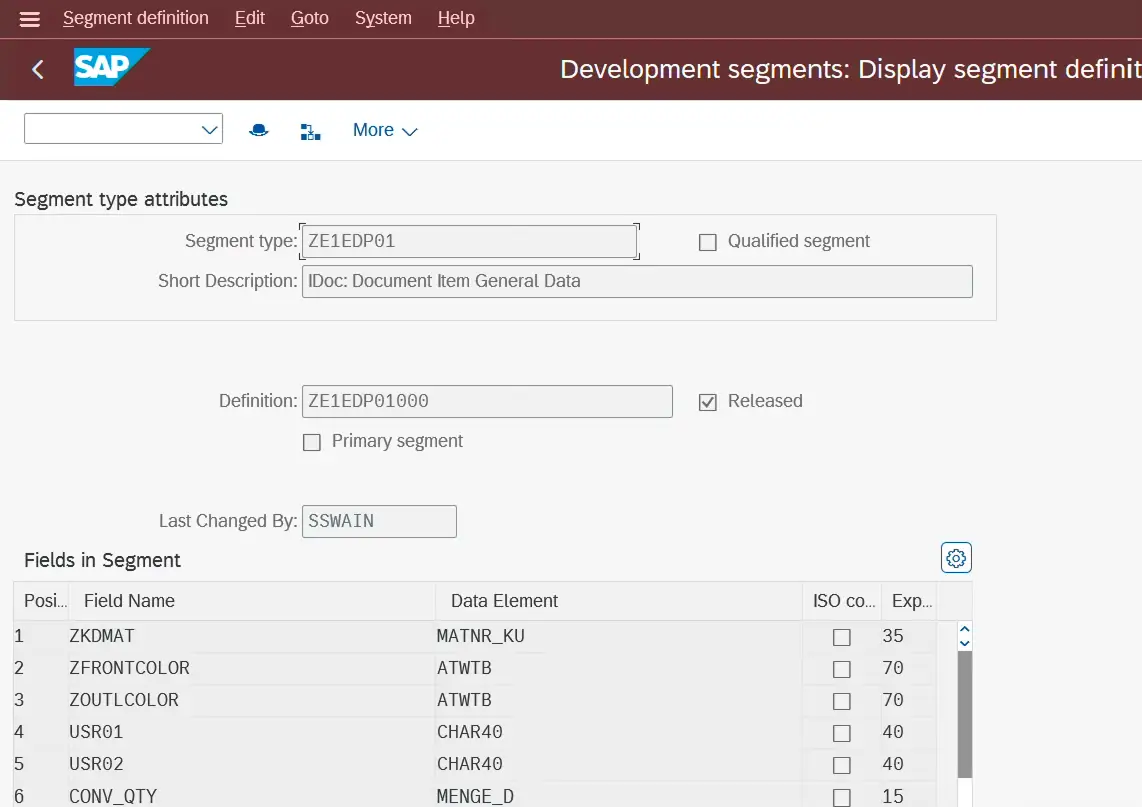
To include custom fields in the IDOC, first create extension segments using transaction WE31.
You need to create two segments:
Header extension segment
Item extension segment
Define the required custom fields inside these segments based on the integration requirement.
After creating the segments, release them.
Navigation:
Menu → Edit → Set Release
Step 4: Extend the Standard IDOC Structure (WE30)
After creating the segments, extend the standard IDOC structure using transaction WE30.
Steps:
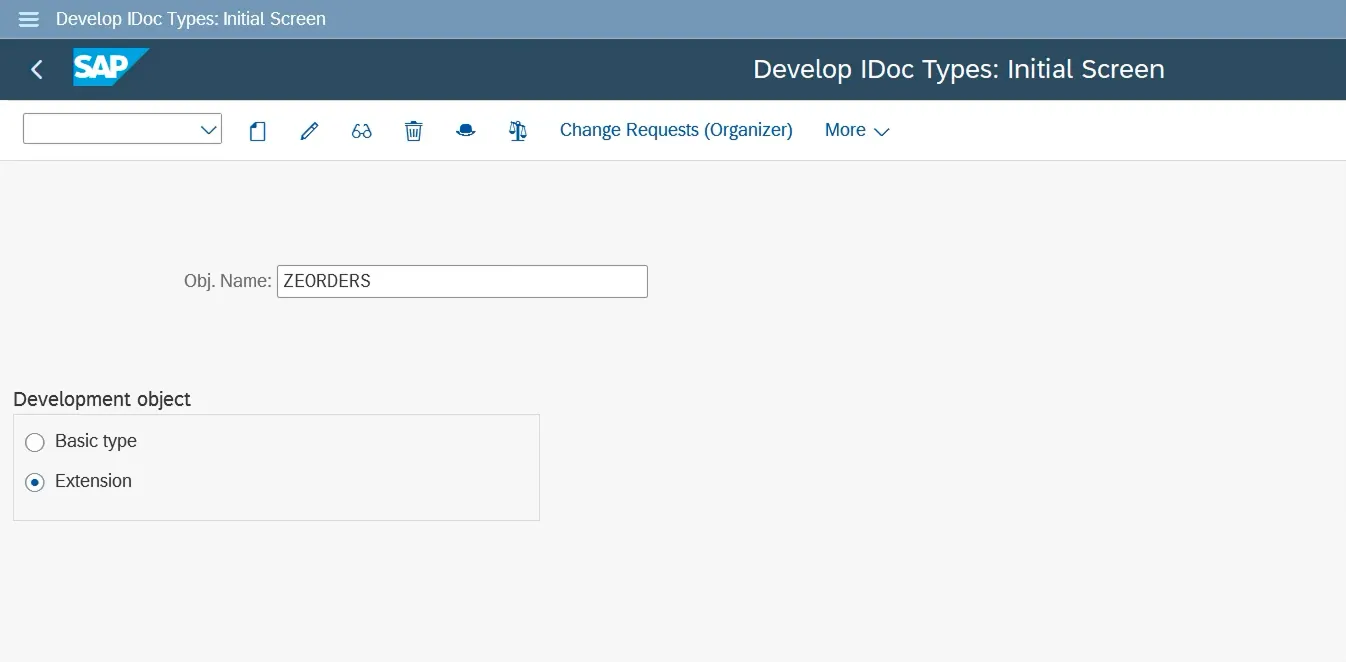
Open WE30
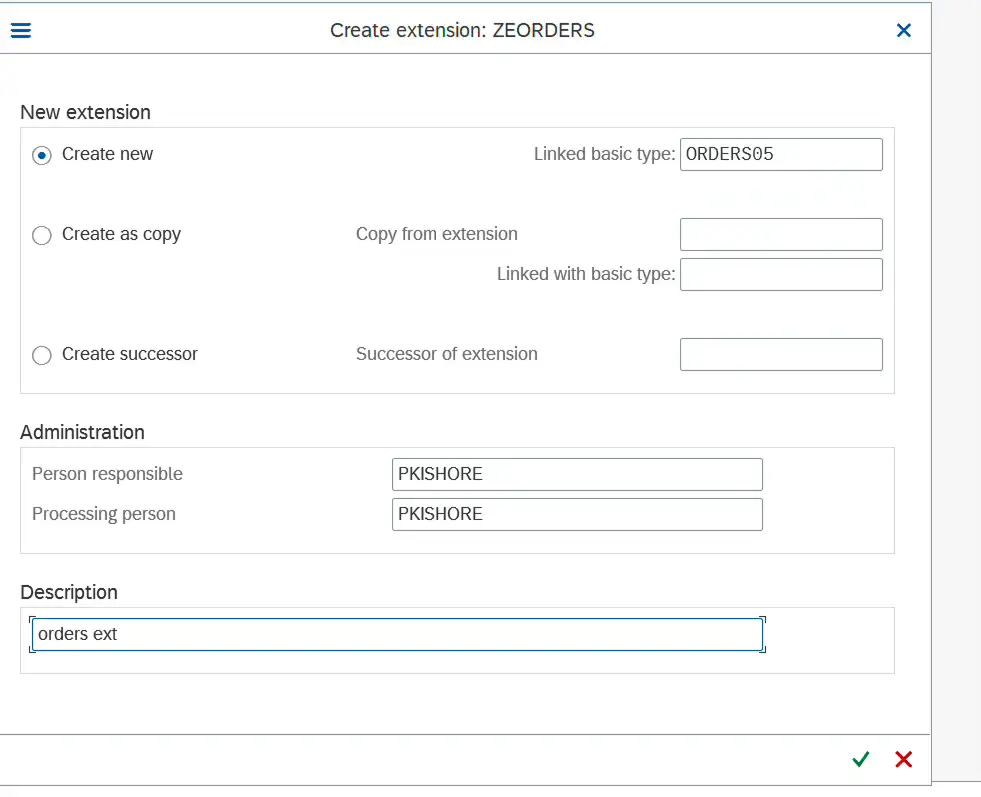
Select Extension
Enter the extension name
Choose Basic type: ORDERS05
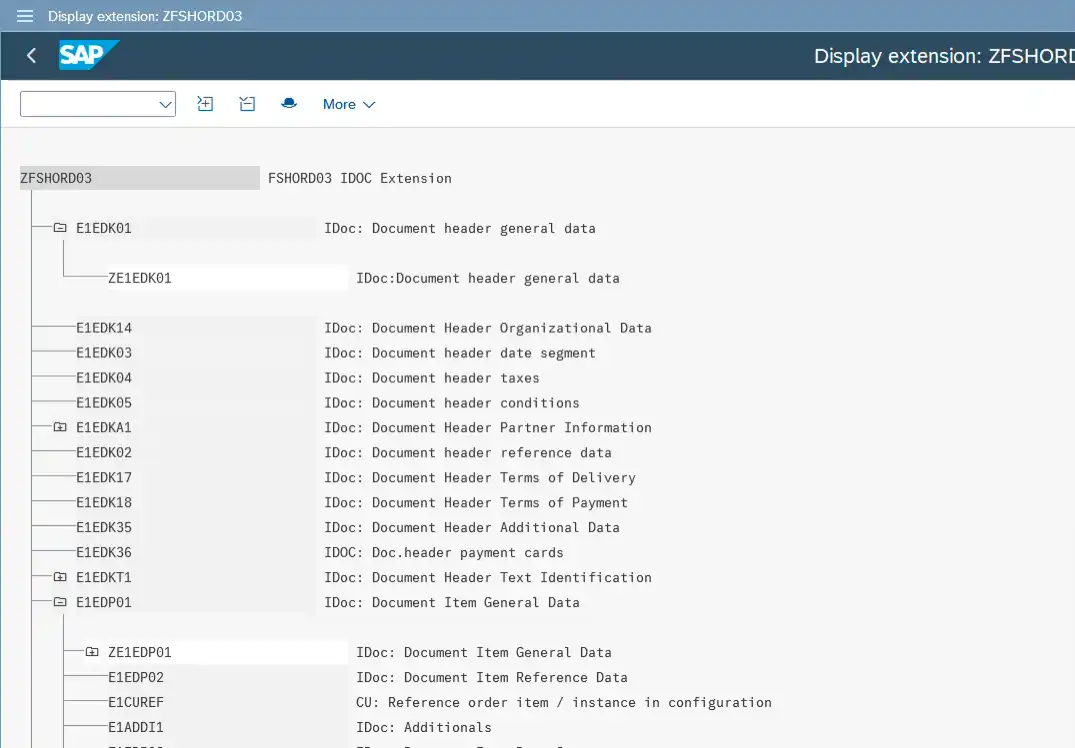
Now insert the custom segments into the standard structure.
Insert header extension under E1EDK01
Insert item extension under E1EDP01
Navigation:
Edit → Insert Segment → Child
This step allows the IDOC to carry additional custom fields along with standard data.
Step 5: Release the IDOC Extension
After inserting the custom segments, release the extension.
Navigation:
Menu → Set Release
Step 6: Implement Logic to Populate Custom Fields
Once the structure is ready, implement logic to populate the custom fields.
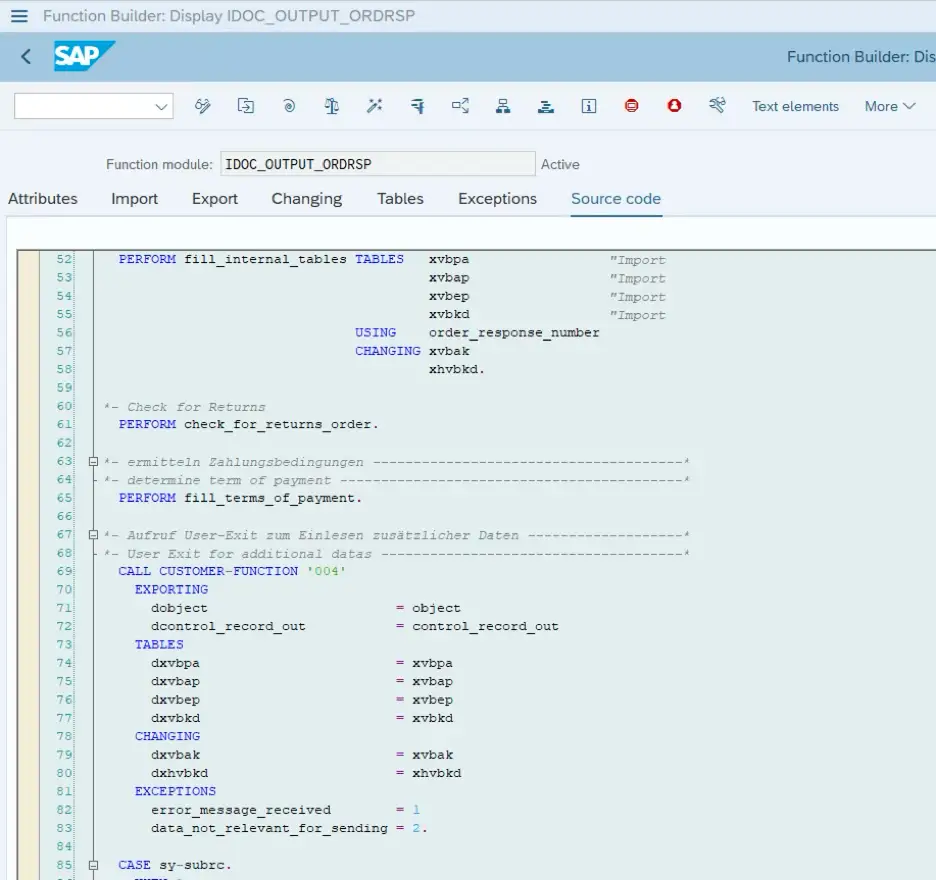
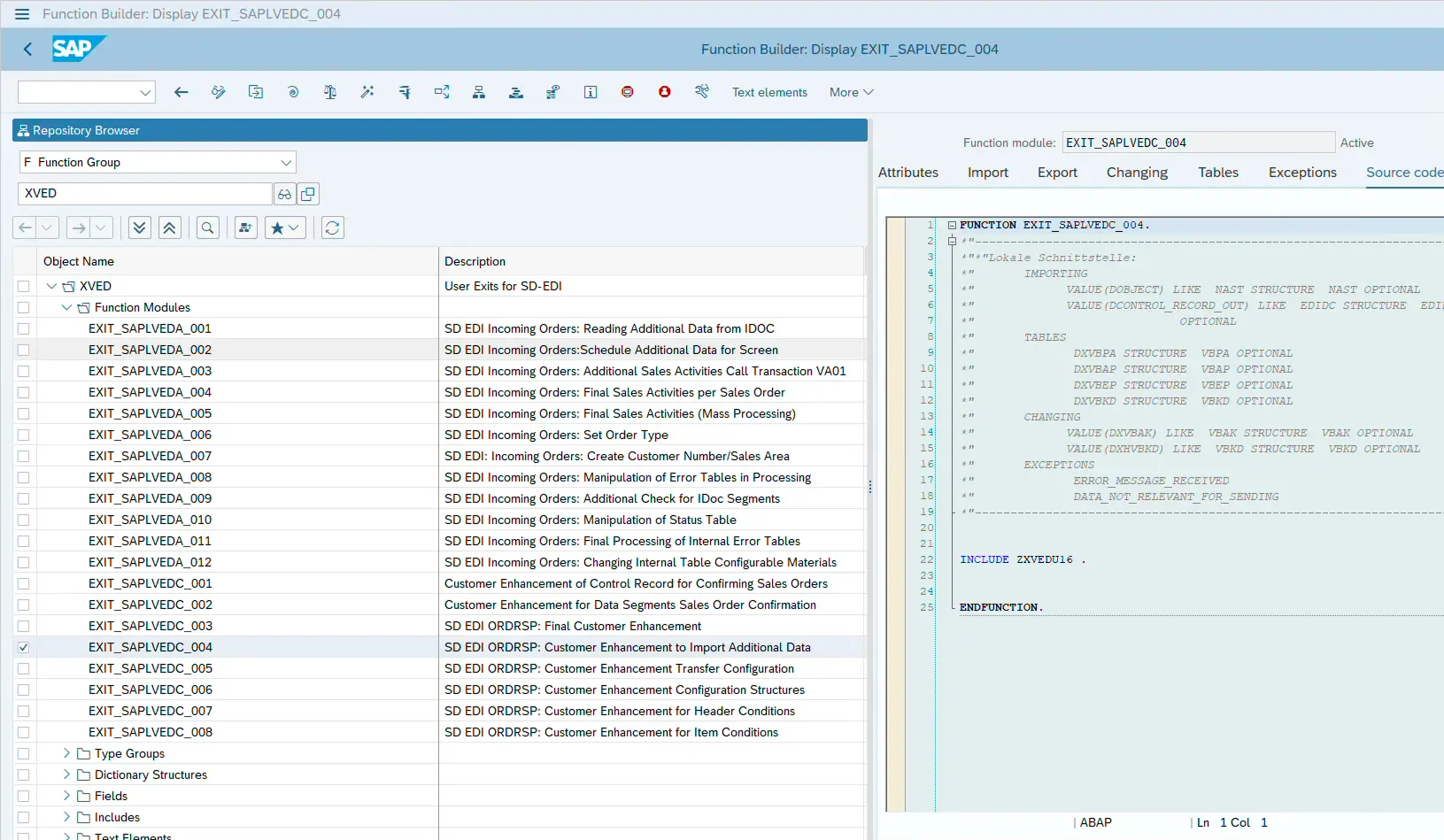
Display the IDOC output function module:
IDOC_OUTPUT_ORDRSPSearch for the section:
CALL CUSTOMER-FUNCTION
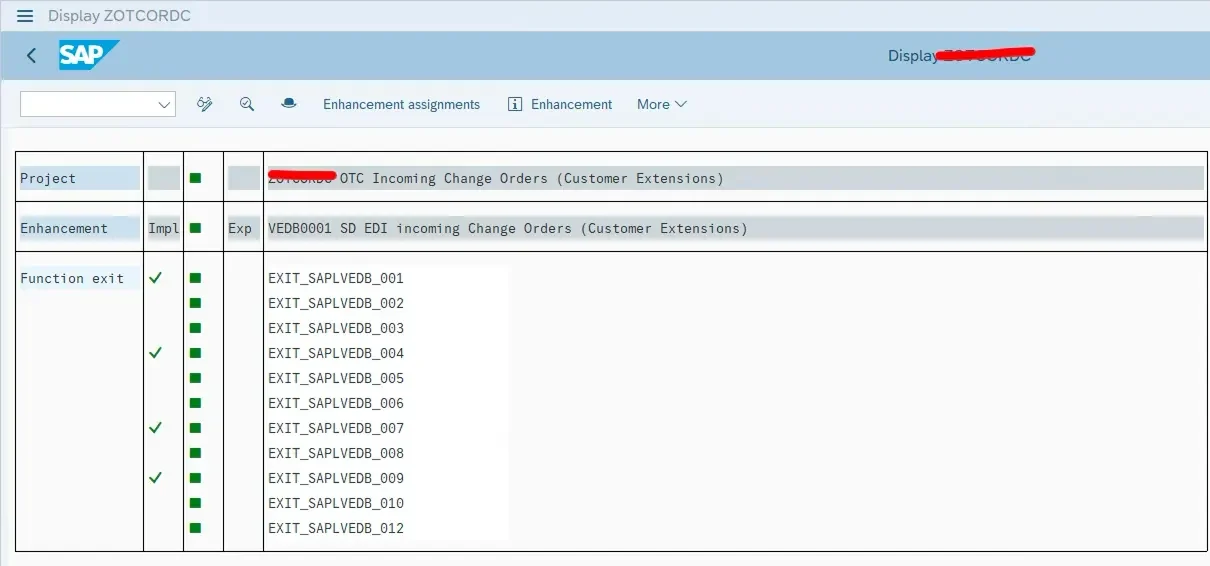
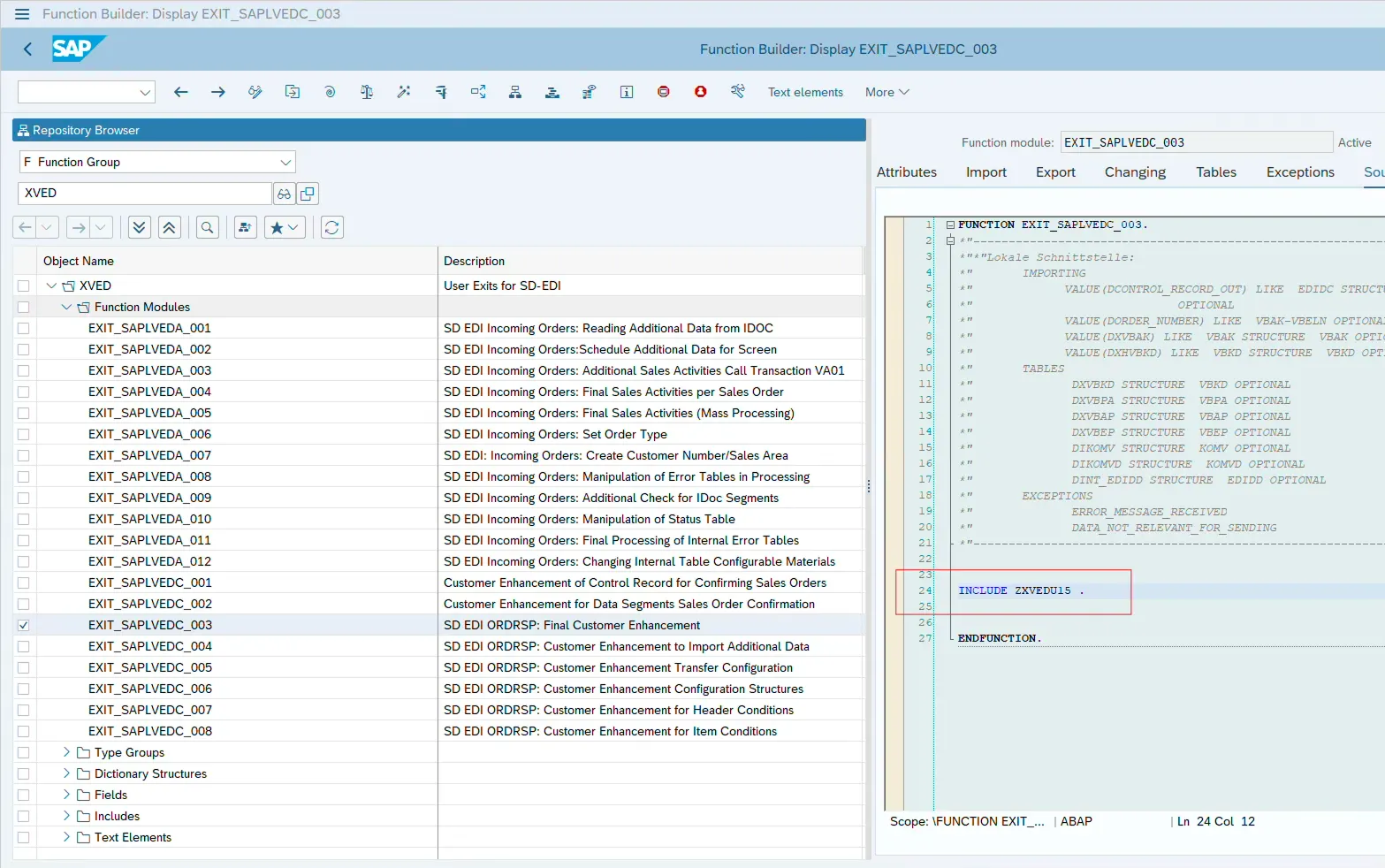
Step 7: Implement User Exit Using CMOD
Create a CMOD project and activate the available enhancement.
Inside the enhancement include, write the logic to populate the custom fields.
The following internal tables are typically used:
DINT_EDIDD→ contains IDOC segment dataDXVBAP→ contains sales order item data
Example logic:
Read sales order item data
Fetch additional information from custom tables
Populate the extension segment
Insert it into the IDOC data structure
Example code snippet from the implementation:
DATA:
ls_edidd TYPE edidd,
ls_e1edp01 TYPE e1edp01.
The logic reads item data, calculates additional values, and dynamically inserts a custom segment into the IDOC structure.
Step 8: Code
“ DINT_EDIDD holds all the IDOC data and DXVBAP holds sales item data..
DATA:
ls_edidd TYPE edidd,
ls_e1edp01 TYPE e1edp01.
CONSTANTS: lc_ze1edp01 TYPE char8 VALUE 'ZE1EDP01',
lc_e1edp01 TYPE char7 VALUE 'E1EDP01'.
SELECT matnr,menge FROM ztable
INTO TABLE @DATA(lt_menge)
FOR ALL ENTRIES IN @dxvbap
WHERE matnr = @dxvbap-matnr
SELECT vbeln,posnr, wadat FROM vbep FOR ALL ENTRIES IN @dxvbap
WHERE vbeln = @dxvbap-vbeln AND posnr = @dxvbap-posnr
INTO TABLE @DATA(lt_vbep) .
LOOP AT dint_edidd ASSIGNING FIELD-SYMBOL(<fs_dint_edidd>) WHERE segnam = lc_e1edp01 .
DATA(lv_index) = sy-tabix.
ls_e1edp01 = <fs_dint_edidd>-sdata.
ls_edidd-segnam = lc_ze1edp01.
READ TABLE dxvbap INTO DATA(ls_dxvbap) WITH KEY posnr = ls_e1edp01-posex.
IF sy-subrc EQ 0.
READ TABLE lt_menge INTO DATA(ls_menge) WITH KEY matnr = ls_dxvbap-matnr BINARY SEARCH.
IF sy-subrc EQ 0.
** Append custom ZSEGMENT at Item level
ls_edidd-sdata = VALUE ze1edp01(
conv_qty = ls_e1edp01-menge * ls_menge-menge
zshipd = VALUE #( lt_vbep[ vbeln = ls_dxvbap-vbeln
posnr = ls_dxvbap-posnr ]-wadat OPTIONAL ) ).
lv_index = lv_index + 1.
INSERT ls_edidd INTO dint_edidd INDEX lv_index.
CLEAR: ls_edidd,ls_e1edp01,ls_menge,ls_dxvbap.
ENDIF.
ENDIF.
ENDLOOP.
Testing the Interface
Once the implementation is complete:
Create or change a sales order
Trigger the output type
Check the generated IDOC in WE02 or WE05
Verify that the custom segments and fields are populated correctly.
If you face issues while processing IDOCs, understanding debugging techniques becomes important. You can also read our guide on How to Debug ABAP Programs Effectively to troubleshoot IDOC processing issues.
Common Mistakes Developers Make
Not releasing segments
Segments must be released in WE31 and WE30.
Incorrect segment hierarchy
Custom segments must be inserted under the correct parent segment.
Wrong enhancement implementation
Ensure the correct user exit is used inside the IDOC output function module.
Missing partner profile configuration
Without partner profile setup, the IDOC will not be generated.
Frequently Asked Questions
What is ORDRSP IDOC in SAP?
ORDRSP is an IDOC message type used to send sales order confirmation details from SAP to external systems.
Why do we create an IDOC extension in SAP?
IDOC extensions are created to add custom fields that are not available in the standard IDOC structure.
Which function module is used to generate the sales order confirmation IDOC?
The function module IDOC_OUTPUT_ORDRSP is used to generate and send sales order confirmation IDOCs.
🎉 Final Thoughts
Extending IDOCs is a common requirement when integrating SAP with external systems. By creating custom segments and implementing enhancement logic, developers can easily send additional business data along with standard IDOC structures.
Using the ORDRSP message type with IDOC extension ensures that sales order confirmations can include all necessary information required by external systems.

SAP Solution Architect | 16+ Years’ Experience in SAP | Sharing Practical SAP Knowledge | Engineering Graduate with Expertise in SAP Architecture