Kishore Thutaram
SAP Solution Architect | 16+ Years' Experience in SAP | Sharing Practical SAP Knowledge | Engineering Graduate with Expertise in SAP Architecture
https://fiowelt.com“In this guide, we’ll learn how to create custom event in SAP S/4HANA using RAP and trigger it via SAP Event Mesh with a real-world Sales Order scenario.”
Let’s be honest 😄 — SAP loves silence. You save a Sales Order, SAP nods politely, and nothing else happens.
But what if your Sales Order could talk? 📣 What if, the moment it’s created or updated, it politely taps SAP BTP on the shoulder and says:
“Hey buddy, something just changed. You might want to know this.”
That’s exactly what custom events using RAP do.
In this guide, we’ll learn how to create a custom event in SAP S/4HANA using RAP and trigger it via SAP Event Mesh when a Sales Order Item is saved. No Part A, no Part B, no artificial breaks — just a smooth, logical flow, like a well-written ABAP program 😉.
By the end of this article, you’ll confidently:
Design RAP-based events
Bind them correctly
Trigger them during Sales Order save
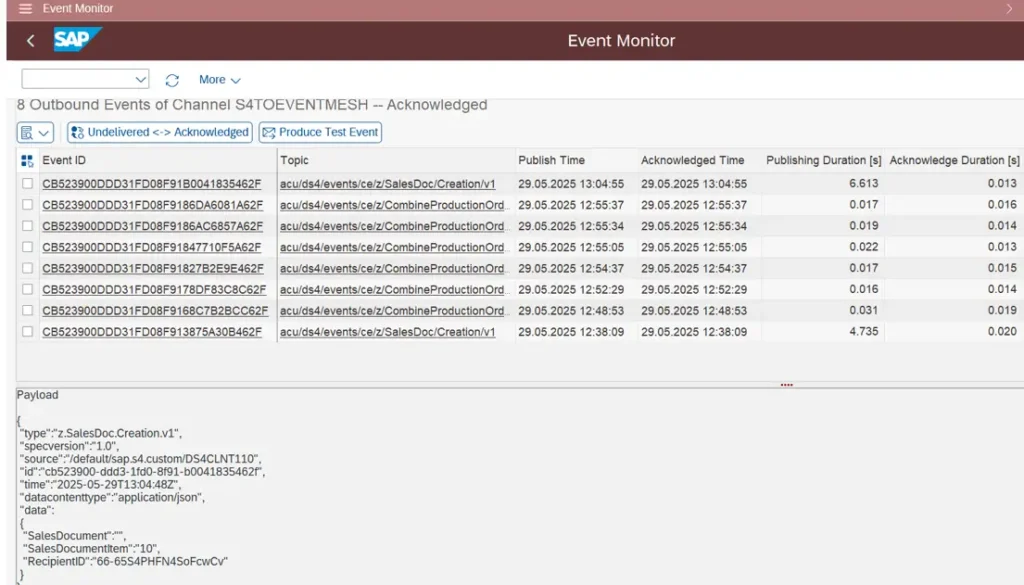
Monitor them without panic
So grab your chai ☕ — let’s make SAP a little more chatty.

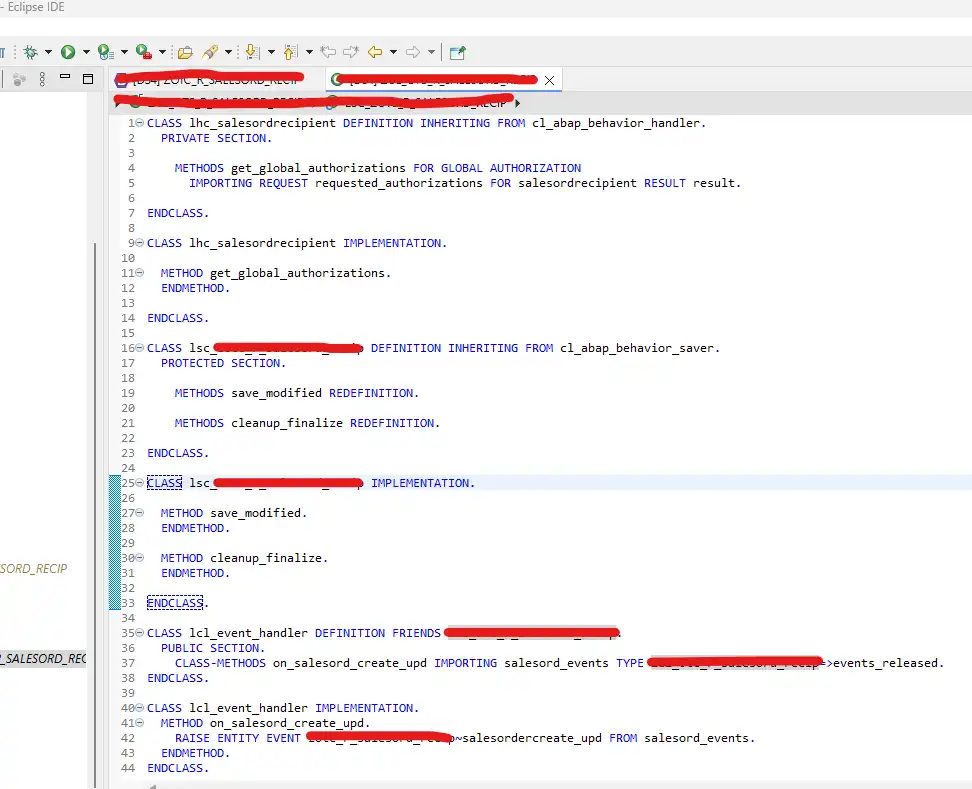
Provide the Zclass to implement the behaviour methods.
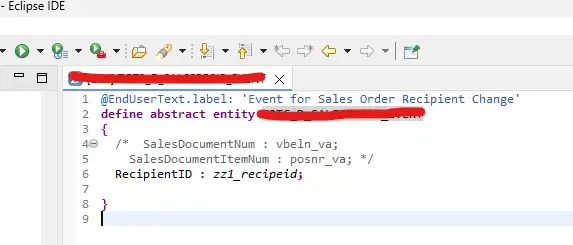
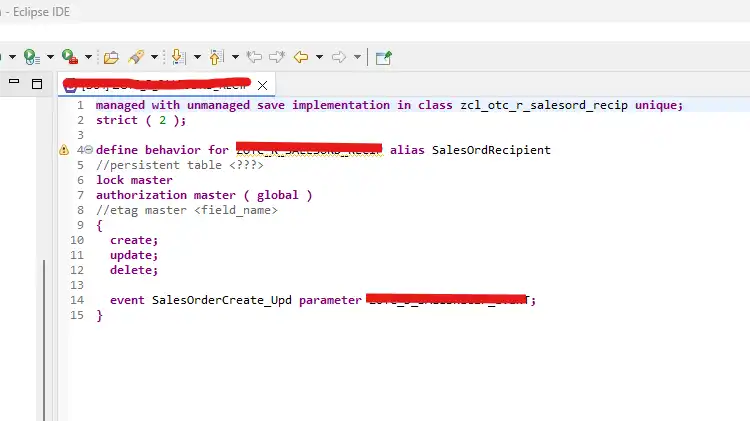
Add an event in behaviour definition ex:SalesOrderCreate_Upd with parameter “Abstract CDS entity”, which is created in the second step.
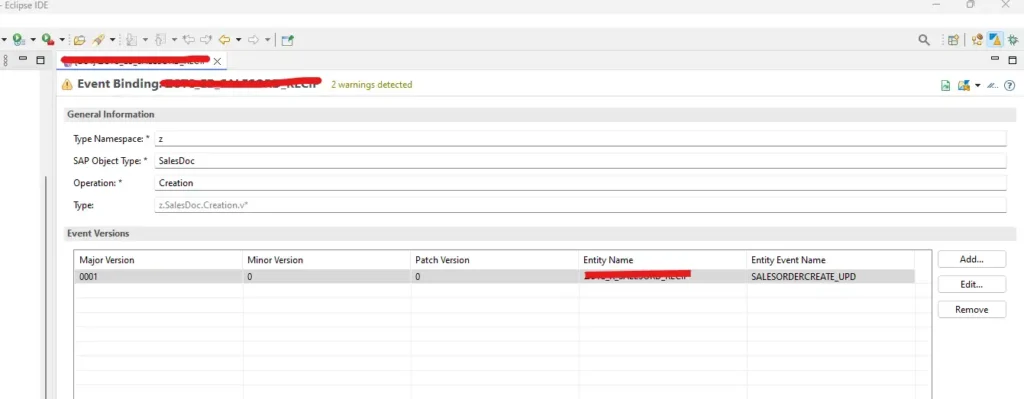
Provide the below details for event binding.
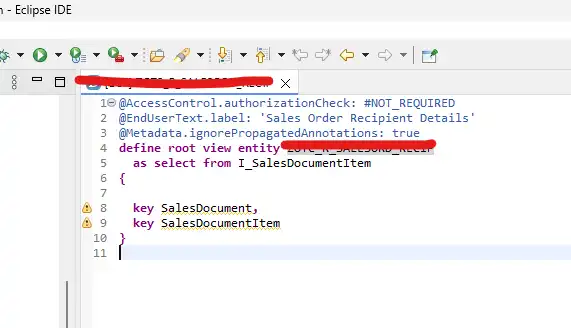
Entity name = “Root Entity”, which is created in first step
Event name = Event name mentioned in behaviour definition
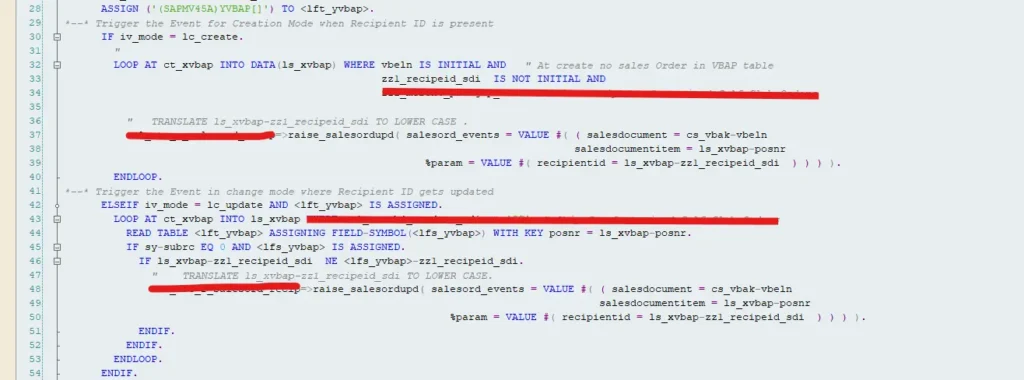
in this scenario the user exit name is USEREXIT_SAVE_DOCUMENT – it triggers after saving the sales order
ASSIGN (‘(SAPMV45A)YVBAP[]’) TO <lft_yvbap>.
*--* Trigger the Event for Creation Mode when Recipient ID is present
IF iv_mode = ‘H’.
"
LOOP AT xvbap INTO DATA(ls_xvbap) WHERE vbeln IS INITIAL AND zz1_recipeid_sdi IS NOT INITIAL.
=>raise_salesordupd( salesord_events = VALUE #( ( salesdocument = vbak-vbeln
salesdocumentitem = ls_xvbap-posnr
%param = VALUE #( recipientid = ls_xvbap-zz1_recipeid_sdi ) ) ) ).
ENDLOOP.
*--* Trigger the Event in change mode where Recipient ID gets updated
ELSEIF iv_mode = ‘V’.
LOOP AT xvbap INTO ls_xvbap.
READ TABLE ASSIGNING FIELD-SYMBOL() WITH KEY posnr = ls_xvbap-posnr.
IF sy-subrc EQ 0 AND IS ASSIGNED.
IF ls_xvbap-zz1_recipeid_sdi NE -zz1_recipeid_sdi.
=>raise_salesordupd( salesord_events = VALUE #( ( salesdocument = vbak-vbeln
salesdocumentitem = ls_xvbap-posnr
%param = VALUE #( recipientid = ls_xvbap- zz1_recipeid_sdi ) ) ) ).
ENDIF.
ENDIF.
ENDLOOP.
ENDIF.
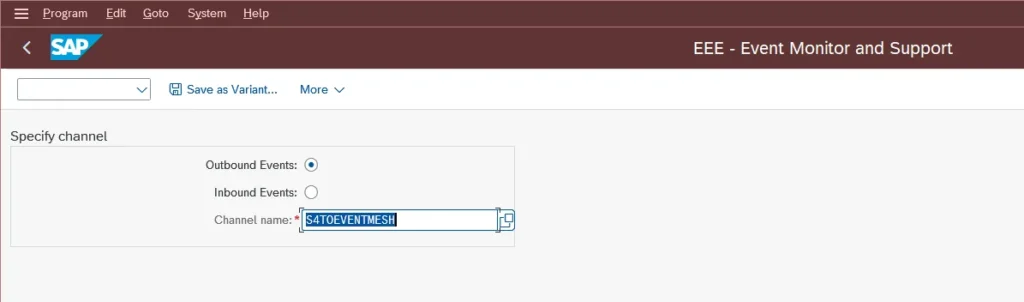
Transaction /IWXBE/EVENT_MONITOR
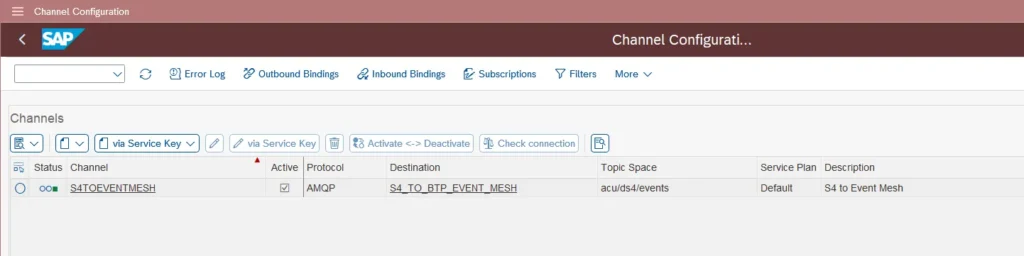
To make this tcode operational. configuration is needed for outbound event monitor with a channel name.
Channel Configuration: Tcode /IWXBE/CONFIG
You’ve now successfully turned a boring Sales Order save into an event-driven masterpiece.
SAP S/4HANA talks. RAP listens. Event Mesh delivers. BTP reacts.
That’s modern SAP — and you’re officially part of it 🚀
Happy coding!

SAP Solution Architect | 16+ Years’ Experience in SAP | Sharing Practical SAP Knowledge | Engineering Graduate with Expertise in SAP Architecture
SAP Solution Architect | 16+ Years' Experience in SAP | Sharing Practical SAP Knowledge | Engineering Graduate with Expertise in SAP Architecture
https://fiowelt.com